ceiling fan instruction manual

Ceiling fans enhance comfort and style, offering airflow and energy savings. This guide details installation, operation, and troubleshooting for optimal performance and enjoyment.

Understanding Your Ceiling Fan

Ceiling fans aren’t just about cooling; they’re about comfort and efficiency. Modern fans offer diverse styles, sizes, and features, impacting airflow and energy consumption. Understanding these elements is crucial before installation. Consider the room size – larger rooms require fans with greater blade spans.

Different fan types exist, including standard, hugger (for low ceilings), and outdoor models. Familiarize yourself with the fan’s components: blades, motor housing, downrod, and mounting bracket. Knowing these parts aids in assembly and maintenance. Furthermore, understanding the fan’s speed settings and seasonal switch (summer/winter mode) maximizes its benefits throughout the year, contributing to a comfortable living space.

Safety Precautions Before Installation

Prioritize safety during ceiling fan installation! Always disconnect power at the circuit breaker before beginning any electrical work. Verify the electrical box is rated to support the fan’s weight – a standard box may not suffice. Use a qualified electrician if unsure about wiring.

Wear safety glasses to protect your eyes from falling debris. Ensure the mounting surface is sturdy and can bear the fan’s dynamic weight. Never work alone; have someone assist you, especially when lifting the motor assembly. Carefully read and understand all instructions before starting. Ignoring these precautions could lead to serious injury or property damage.
Parts List & Identification

Familiarize yourself with all components: blades, motor housing, downrod, mounting bracket, screws, and wiring connectors – ensuring a smooth installation process.

Blade Identification & Attachment

Begin by identifying each blade, noting any slight variations in shape or pre-drilled holes. Typically, blades are symmetrical, but confirming this prevents imbalance. Locate the blade brackets – these attach to the motor housing. Securely fasten each blade to a bracket using the provided screws. Ensure screws are tightened firmly, but avoid over-tightening, which could damage the blade or bracket.

Next, attach the blade bracket assemblies to the motor housing. Align the holes carefully and use the appropriate screws. Double-check that all blades are securely attached and evenly spaced. An unevenly balanced fan will wobble during operation, creating noise and potentially causing damage. Proper blade attachment is crucial for safe and efficient fan performance.

Motor Housing & Downrod Assembly

Carefully unpack the motor housing, inspecting it for any shipping damage. The downrod is the metal pipe that suspends the fan from the mounting bracket. Insert the downrod into the motor housing, aligning the pin holes. Secure it with the provided pin and set screw, ensuring a tight fit. Loosen the set screw before inserting, then tighten firmly once aligned.

Feed the wires from the motor through the downrod. Be gentle to avoid damaging the wiring. Some models have a canopy that slides over the downrod; attach this now, but do not fully tighten it. The canopy will conceal the mounting bracket and wiring. Proper downrod assembly is vital for secure fan suspension and safe electrical connections.

Mounting Bracket Components

The mounting bracket is crucial for safely supporting the ceiling fan’s weight. It typically includes a circular plate designed to attach to the electrical box in your ceiling. Inspect the bracket for a label indicating its weight capacity; ensure it’s rated for your fan’s weight; Included are screws specifically designed for securing the bracket to the electrical box – use only these screws.

Some brackets feature an adjustable hanger ball, allowing for angled ceilings. Familiarize yourself with this feature if applicable. A canopy ring or plate is also part of the assembly, covering the bracket and providing a finished look. Proper bracket installation is paramount for preventing fan instability and ensuring long-term safety.

Installation Process ─ Step-by-Step

Begin by carefully preparing the electrical box, then securely attach the mounting bracket, followed by wiring and downrod connection for a safe setup.

Preparing the Electrical Box

Before commencing installation, ensure the electrical box is rated to support the weight of the ceiling fan. Most standard plastic boxes are not sufficient and require replacement with a fan-rated box, securely mounted to a ceiling joist. Turn off the power at the circuit breaker to avoid electrical shock. Carefully inspect the existing wiring for damage or fraying, replacing it if necessary. Verify proper grounding is present.

Confirm the box is flush with the ceiling surface for a stable mount. If recessed, use a suitable spacer. A properly prepared electrical box is crucial for a safe and secure ceiling fan installation, preventing potential hazards and ensuring long-term reliability. Double-check all connections before proceeding.

Attaching the Mounting Bracket

With the power off, carefully align the mounting bracket with the pre-drilled holes in the electrical box. Use the screws provided, ensuring they are the correct length to securely fasten the bracket without protruding excessively. Tighten the screws firmly, but avoid over-tightening, which could strip the threads or damage the box.

Verify the bracket is level and stable; any wobble at this stage will translate to the fan itself. Some brackets feature adjustable features for fine-tuning alignment. Ensure the bracket’s orientation matches the fan’s downrod assembly. A properly secured mounting bracket is fundamental for a safe and vibration-free fan operation.

Wiring the Fan – Color Coding

Before connecting wires, double-check the power is OFF at the breaker. Typically, the fan’s black wire connects to the household’s black (hot) wire. The fan’s white wire connects to the household’s white (neutral) wire. The fan’s green or bare copper wire is the ground wire and must connect to the household’s ground wire or the grounding screw in the electrical box.

Use wire connectors (wire nuts) to securely join the wires, twisting them clockwise. Ensure no bare wire is exposed. If your fan includes a light kit, a blue wire may be present for the light, connecting to the switched hot wire. Always consult your fan’s specific wiring diagram for accurate color coding.

Connecting the Downrod & Motor

Carefully lift the motor assembly and align the downrod with the mounting stud on the motor housing. Securely insert the downrod, ensuring it’s fully seated. Tighten the set screws located on the motor housing to firmly lock the downrod in place – do not overtighten.

Feed the fan’s wires through the downrod before fully securing it. This prevents damage during installation. Some fans utilize a pin or clip to further secure the downrod; ensure this is properly installed. Double-check the connection to prevent the fan from detaching during operation. A loose downrod poses a significant safety hazard.

Attaching the Blades

Align each blade with the blade brackets on the motor housing. Secure each blade using the provided screws, tightening them firmly but avoiding over-tightening which could damage the blade or bracket. Ensure all screws are tightened to the same degree for balanced operation.

Repeat this process for all remaining blades, verifying each is securely attached. Incorrectly attached blades are a primary cause of fan wobble. After attaching all blades, gently rotate the fan to check for any looseness or imbalance. If wobble persists, re-tighten screws or consider using a balancing kit.

Installing the Light Kit (If Applicable)

Carefully connect the light kit wiring to the fan’s wiring harness, matching colors as indicated in the wiring diagram. Typically, this involves connecting black to black, white to white, and ground to ground. Secure the light kit to the fan’s switch housing using the provided screws, ensuring a snug fit.

Install the light bulbs, observing the maximum wattage specified on the light kit label. Attach the glass shade or cover, securing it with the appropriate hardware. Before restoring power, double-check all connections and ensure the shade is firmly in place. Test the light kit functionality after power is restored.

Remote Control & Wall Control Setup

Seamlessly control your fan’s functions with remote or wall controls, offering convenience and customization. Pairing and programming are often straightforward processes.

Pairing the Remote Control

Initial remote control pairing is crucial for proper operation. Typically, this involves restoring power to the fan while simultaneously pressing a specific “learn” or “sync” button on both the receiver unit (usually located inside the fan’s canopy) and the remote itself. The receiver often indicates successful pairing with a flashing light.

If pairing fails, ensure fresh batteries are installed in the remote. Repeat the process, holding the buttons for a slightly longer duration. Some models require multiple attempts. Consult your fan’s specific model instructions, as pairing procedures can vary. A reset of the receiver might be necessary if previous pairing attempts have created interference. Successful pairing allows full control of fan speed, light dimming, and other features.

Understanding Remote Functions

Your ceiling fan remote offers convenient control over various features. Common buttons include power (on/off), speed control (low, medium, high), and light control (on/off, dimming). A “reverse” function alters blade direction for seasonal adjustments – clockwise for winter to circulate warm air, counterclockwise for summer cooling.

Some remotes feature a “sleep” mode, gradually decreasing fan speed for comfortable sleep. Others include a timer function for automated operation. Explore any additional buttons specific to your model, referencing the included diagram. Familiarizing yourself with these functions maximizes your fan’s usability and energy efficiency, providing personalized comfort throughout the year.

Wall Control Installation & Programming

Installing a wall control replaces a standard light switch, offering dedicated fan and light control. Always disconnect power at the breaker before installation! Carefully remove the existing switch and connect the wires according to the control’s wiring diagram – typically involving line, load, and neutral connections.

Programming often involves pairing the control with the fan’s receiver (located in the canopy). This usually requires a specific sequence of switch presses or holding a “learn” button. Refer to your control’s manual for precise instructions. Successful pairing allows seamless operation, eliminating the need for a remote. Ensure secure mounting and proper wiring for safe and reliable performance.

Operating Your Ceiling Fan

Control speed settings for desired airflow, and utilize the seasonal switch for optimal summer cooling or winter heat distribution within your living space.

Speed Settings & Airflow Direction

Ceiling fans typically offer multiple speed settings – low, medium, and high – allowing you to customize airflow to your comfort level. Lower speeds are ideal for gentle breezes, while higher speeds provide maximum cooling.

The direction of airflow significantly impacts how the fan feels. In summer, set the blades to rotate counterclockwise, creating a downward breeze for a cooling effect. Conversely, in winter, switch to a clockwise rotation at a low speed. This pulls cool air up, circulating warm air downwards without creating a noticeable breeze, aiding in energy efficiency.

Most fans include a switch on the motor housing to change the direction. Experiment with different speeds and directions to find the optimal setting for your needs and the season.

Seasonal Switch – Summer/Winter Mode

Ceiling fans aren’t just for summer! A crucial feature is the reversible motor, enabling a “summer” and “winter” mode. This simple adjustment dramatically impacts your home’s comfort and energy bills. Locate the switch, usually on the motor housing, to change the blade rotation direction.

During summer, blades rotate counterclockwise, pushing air downwards, creating a cooling breeze. In winter, switch to clockwise rotation at a low speed. This gently pulls air upwards, redistributing warm air trapped near the ceiling, improving heating efficiency without a chilling draft.

Utilizing this feature can significantly reduce heating costs by evenly distributing warmth throughout the room. Remember to adjust the speed accordingly for optimal comfort.
Troubleshooting Common Issues

Addressing problems like a non-functioning fan, wobble, or light kit failures is often straightforward. This section provides solutions for quick and safe resolutions.

Fan Doesn’t Turn On

If your ceiling fan fails to operate, begin by verifying the power supply. Ensure the wall switch is in the “on” position and that the circuit breaker hasn’t tripped. Check the remote control batteries if applicable, and confirm proper pairing with the receiver unit. Inspect the wiring connections within the fan’s motor housing, ensuring all wires are securely fastened. A loose connection is a frequent culprit.

Additionally, examine the pull chain switch (if equipped) for proper functionality. If the fan still doesn’t respond, a faulty capacitor or motor might be the issue, requiring professional assistance. Remember to always disconnect power before inspecting any electrical components for safety.

Fan Wobbles Excessively

Excessive wobbling indicates an imbalance within the fan system. First, verify all blade screws are tightened securely – loose blades are a common cause. Use a balancing kit (often included with the fan) to identify and correct weight discrepancies. This involves attaching small weights to the blades to counteract the imbalance.

Ensure the mounting bracket is firmly attached to the ceiling joist and that the downrod is straight. A warped blade or a bent bracket can also contribute to wobbling. If the problem persists, check for blade damage or inconsistencies in blade shape. Professional assistance may be needed for significant structural issues.

Light Kit Malfunctions

If the light kit isn’t working, begin by checking the light bulbs to ensure they are securely screwed in and haven’t burned out. Next, verify the wall switch controlling the fan and light is functioning correctly. Inspect the wiring connections within the fan’s canopy – loose wires can interrupt the electrical flow.

Confirm the pull chain (if equipped) is properly engaged. If using a remote, ensure the remote batteries are fresh and the remote is paired correctly with the receiver in the fan. If these steps don’t resolve the issue, consult a qualified electrician to diagnose and repair any electrical faults.
Maintenance & Cleaning

Regular upkeep ensures optimal fan performance and longevity. Dust blades and tighten connections periodically to maintain efficient airflow and prevent wobbling.

Dusting the Blades

Consistent blade dusting is crucial for maintaining optimal airflow and preventing imbalance. Before cleaning, always turn off the fan and allow the blades to come to a complete stop. Use a soft, lint-free cloth or a specialized ceiling fan duster to gently wipe each blade, removing accumulated dust and debris.

Alternatively, you can use a pillowcase! Carefully slide the pillowcase over each blade, applying gentle pressure as you pull it back to trap the dust inside. This method prevents dust from scattering throughout the room. For stubborn grime, lightly dampen the cloth with water or a mild cleaning solution, ensuring it’s not overly wet. Avoid abrasive cleaners, as they can damage the blade finish. Regular dusting – ideally monthly – will keep your fan operating efficiently and looking its best.

Tightening Screws & Connections

Regularly inspect and tighten all screws and connections within your ceiling fan to ensure safe and stable operation. This includes screws securing the blades to the blade holders, the blade holders to the motor, the mounting bracket to the electrical box, and any connections within the motor housing.

Turn off the power to the fan at the breaker before performing any maintenance. Use a screwdriver of the appropriate size and type to avoid stripping the screw heads. A slight wobble or unusual noise often indicates a loose connection. Don’t overtighten, as this can damage components. Check connections at least twice a year, or more frequently if the fan is in a high-vibration area. Consistent tightening prevents potential hazards and extends the fan’s lifespan.

Motor Lubrication (If Required)

Most modern ceiling fans are sealed and require no oiling or lubrication. However, some older models may have oil ports for periodic maintenance. Consult your fan’s specific manual to determine if lubrication is necessary. If oil ports are present, use only a lightweight, non-detergent electric motor oil specifically designed for this purpose.

Apply a few drops of oil to each port, and then rotate the fan blades by hand to distribute the lubricant. Avoid over-oiling, as this can attract dust and grime. If your fan emits squealing noises, it may indicate a need for lubrication, but first, ensure all screws are tightened. If lubrication doesn’t resolve the issue, professional servicing is recommended. Ignoring lubrication needs can lead to motor failure.

Advanced Features & Options

Explore smart fan integration for remote control and energy efficiency. Utilize features like voice control and automated schedules for enhanced convenience and savings.

Smart Fan Integration

Modern ceiling fans increasingly offer smart home integration capabilities, allowing control via smartphone apps or voice assistants like Amazon Alexa or Google Assistant. This connectivity unlocks a range of features, including remote operation – turn your fan on or off from anywhere with an internet connection.

Scheduling is another key benefit; set automated schedules to operate the fan based on your daily routine, maximizing comfort and energy savings. Many smart fans also provide energy usage monitoring, helping you track consumption and identify potential cost reductions. Furthermore, integration with other smart home devices enables the creation of customized scenes – for example, dimming the lights and activating the fan simultaneously.

Setup typically involves connecting the fan to your home’s Wi-Fi network through the manufacturer’s app, followed by linking it to your preferred voice assistant platform. Ensure compatibility with your existing smart home ecosystem before purchasing.

Energy Efficiency Tips

Maximize energy savings with your ceiling fan by utilizing its features strategically. In warmer months, use the fan in conjunction with your air conditioner, allowing you to raise the thermostat by a few degrees without sacrificing comfort – this can significantly reduce cooling costs. Remember, fans cool people, not rooms, so turn them off when you leave.

During winter, reverse the fan’s direction to circulate warm air trapped near the ceiling, reducing heating demands. Utilize the fan’s speed settings; lower speeds consume less energy while still providing adequate airflow. Consider choosing an ENERGY STAR certified fan, designed for optimal efficiency.

Regular maintenance, such as dusting blades, ensures optimal performance and minimizes energy waste. Properly sized fans for the room are also crucial for efficient operation.
Warranty Information & Support

Your ceiling fan is covered by a limited warranty against defects in materials and workmanship; The warranty period typically ranges from one to lifetime, depending on the specific model and components – refer to your included warranty card for precise details. This warranty does not cover damage resulting from improper installation, misuse, or modifications.

For warranty claims or technical support, please contact our customer service department via phone, email, or through our website. Have your model number and proof of purchase readily available to expedite the process. We offer a comprehensive online FAQ section addressing common issues.

Additional resources, including replacement parts and installation guides, can be found on our official website. Our dedicated support team is committed to ensuring your satisfaction.

schwarzkopf hair dye instructions

Schwarzkopf Hair Dye Instructions: A Comprehensive Guide

Navigating the world of at-home hair coloring can be daunting, but Schwarzkopf offers a diverse range of products, catering to various preferences and skill levels․

From vibrant, long-lasting color to subtle, temporary changes, understanding the options is key to achieving your desired look․

This guide provides a detailed walkthrough of the process, ensuring a successful and satisfying hair dyeing experience, with tips and troubleshooting advice․

Explore the nuances of Schwarzkopf’s offerings and unlock the secrets to beautiful, salon-quality results in the comfort of your own home․

Understanding Schwarzkopf Hair Dye Ranges

Schwarzkopf boasts an extensive portfolio of hair dye ranges, each formulated with unique technologies and designed for specific needs․ Perfect Mousse offers a foam application, ideal for beginners and full, even coverage, while Color Expert provides precise color mixing for customized shades․

Simply Color is known for its ease of use and gentle formula, perfect for covering first grays, and Schwarzkopf Professional 16 caters to salon-quality results at home, offering intense color and durability․ Beyond these, ranges like Igora Royal (professional use) and various temporary color sprays and washes expand the options․

Understanding these distinctions is crucial․ Consider your hair type, desired longevity, and experience level when selecting a range․ Each line features a spectrum of shades, from natural browns and blondes to bold reds and vibrant fashion colors, ensuring a perfect match for every individual․

Permanent vs․ Semi-Permanent Options

Schwarzkopf offers both permanent and semi-permanent hair dye options, each with distinct characteristics․ Permanent dyes utilize developers to open the hair cuticle, allowing color molecules to penetrate deeply for long-lasting results – ideal for covering grays or dramatically changing your shade․ These require retouching as new hair grows in․

Semi-permanent dyes, conversely, deposit color onto the hair surface without ammonia or peroxide, gradually fading with each wash․ They’re perfect for enhancing natural color, trying a new tone temporarily, or adding vibrancy without commitment․

The choice depends on your desired outcome and hair health; Permanent options offer greater longevity but can be more damaging, while semi-permanent options are gentler but less durable․ Consider your hair’s porosity and previous treatments when deciding․

Choosing the Right Shade

Selecting the perfect Schwarzkopf hair dye shade is crucial for a flattering result․ Begin by considering your natural hair color and skin tone․ Warm skin tones generally complement golden, copper, or red shades, while cool skin tones shine with ash blonde, platinum, or cool brown hues․

Refer to the shade chart on the box, paying attention to the numbers and descriptors․ The first number indicates the level of lift (darkness/lightness), while subsequent numbers and letters specify the tone (e․g․, golden, ash, red)․

If unsure, opt for a shade closer to your natural color, especially for first-time applications․ A strand test is highly recommended to preview the color before full application, ensuring satisfaction and avoiding unwanted surprises․

Reading the Box: Key Information

The Schwarzkopf hair dye box contains vital information for a successful coloring experience․ Carefully examine the front for the shade name and a visual representation of the expected result․ Crucially, check the side panels for detailed instructions, allergy warning information, and a list of included components․

Pay close attention to the recommended processing time, as deviating from this can impact color development․ Note the volume of developer included and ensure it’s sufficient for your hair length․ The box also specifies if the dye is permanent, semi-permanent, or demi-permanent, influencing longevity․

Always read the safety precautions thoroughly before beginning, and perform a patch test as directed․ Ignoring these instructions can lead to adverse reactions or unsatisfactory results․

Preparation for Dyeing Your Hair

Proper preparation is paramount for optimal results․ Safeguard your skin and clothing, gather necessary tools, and section your hair strategically for even coverage․

Allergy Test: A Crucial First Step

Before applying any hair dye, performing an allergy test is absolutely essential, even if you’ve used hair color previously․ Skin sensitivities can develop over time, making this step non-negotiable for safe coloring․

To conduct the test, apply a small amount of the mixed dye to a discreet area of skin – typically behind the ear or on the inside of the elbow․ Cover the area with a bandage and leave it undisturbed for the time recommended on the Schwarzkopf product packaging, usually 48 hours․

During this period, carefully monitor the application site for any signs of reaction․ These can include redness, itching, burning, swelling, or blistering․ If you experience any of these symptoms, immediately rinse the area thoroughly with water and discontinue use of the dye․

Do not proceed with coloring your hair if an allergic reaction occurs․ Consulting a doctor or dermatologist is advisable to address the reaction and discuss future hair coloring options․

Protecting Your Skin and Clothes

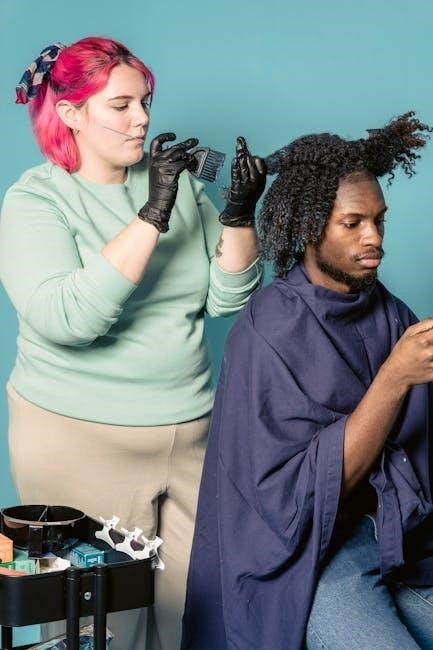
Hair dye can stain skin and clothing, so preventative measures are vital․ Before you begin, apply a barrier cream – like petroleum jelly or a dedicated skin protectant – along your hairline, ears, and the nape of your neck․ This creates a shield against dye transfer and simplifies cleanup․

Wear old clothes that you don’t mind potentially staining, or cover yourself with a protective cape or towel․ Dark colors are preferable to minimize the visibility of any accidental splatters․ Consider wearing gloves throughout the entire process, even during application, to avoid staining your hands․

Protect your work surface with old newspapers or a plastic sheet․ Have a damp cloth readily available to wipe away any spills immediately․ Prompt action is key to preventing permanent stains on surfaces and fabrics․

Remember, prevention is always better than cure when it comes to hair dye mishaps!

Gathering Your Tools

Successful hair dyeing requires having all necessary tools within easy reach․ You’ll need the Schwarzkopf hair dye kit itself, including the colorant, developer, conditioner, and gloves․ A non-metallic bowl is crucial for mixing the dye – avoid metal as it can react with the chemicals․

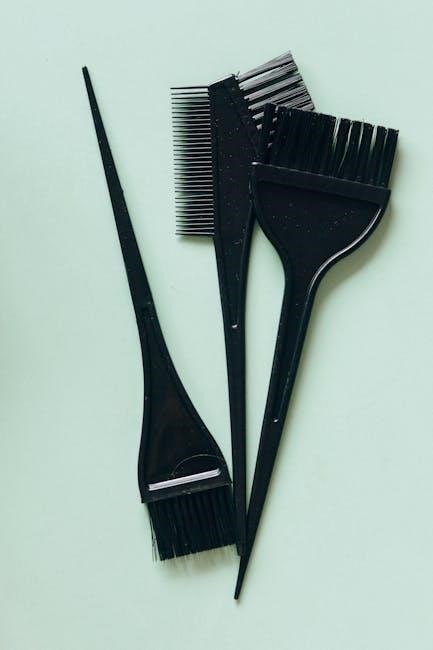
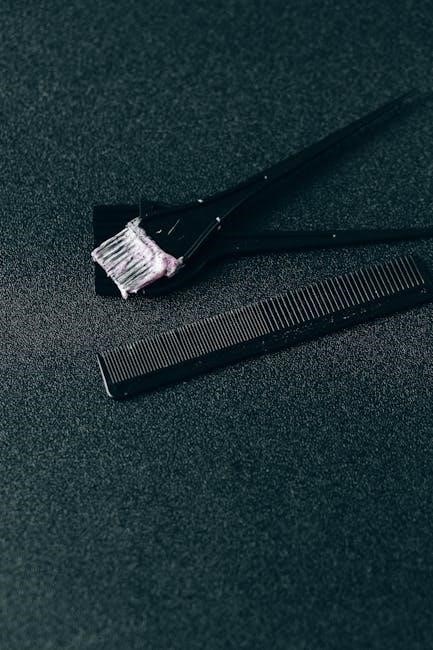
A tint brush is essential for precise application, ensuring even coverage․ Sectioning clips will help divide your hair for a more manageable and thorough process․ An old towel or cape will protect your clothing from stains․

Have a timer handy to accurately track the processing time, and a damp cloth nearby for quick cleanup of any spills․ A wide-tooth comb can assist in distributing the dye evenly through your hair․

Preparation is key; having everything organized beforehand streamlines the process and minimizes stress․

Sectioning Your Hair for Even Coverage

Achieving uniform color requires careful hair sectioning․ Begin by dividing your hair down the middle, from forehead to nape of the neck, using a comb․ Then, create horizontal sections across the head, starting at the ears and moving towards the crown․

Clip each section securely to keep it separate․ This method ensures that every strand is coated with dye, preventing patchy results․ For thicker hair, create more sections for greater control․

Focus on applying the dye to the roots first, as they typically require longer processing time․ Once the roots are saturated, move onto the mid-lengths and ends, working systematically through each section․

Proper sectioning is vital for a professional-looking finish, guaranteeing consistent color and complete coverage throughout your hair․

Applying Schwarzkopf Hair Dye

Precise application is crucial for vibrant, even color․ Follow the mixing instructions carefully, then systematically apply the dye to your hair, ensuring complete saturation․

Mixing the Dye Correctly

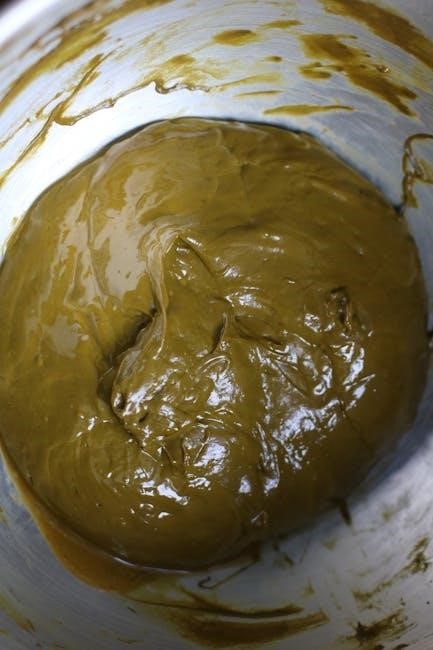
Accurate mixing is paramount for optimal color development and hair health․ Carefully follow the instructions on the Schwarzkopf dye box, as ratios vary between product lines․ Typically, this involves combining the colorant cream with the developer․

Use the applicator bottle provided, or a non-metallic bowl and brush․ Ensure thorough mixing until a smooth, consistent consistency is achieved – no streaks or lumps should remain․

Incorrect ratios can lead to unpredictable results, from insufficient color to hair damage․ Avoid using metal utensils, as they can react with the dye components․

Mix in a well-ventilated area and immediately before application to prevent oxidation and maintain the dye’s potency․ Remember, precise mixing unlocks the full potential of your Schwarzkopf color!

Root Application Technique

For touch-ups or full-head applications, precise root application is crucial for even color․ Begin by parting your hair into four sections – from forehead to nape, and ear to ear – for manageable control․

Apply the mixed dye to the roots first, using the applicator bottle’s nozzle or a brush․ Work in small, systematic sections, ensuring complete saturation at the hairline and crown․

Avoid overlapping dye onto previously colored hair excessively, as this can cause damage and uneven tones․ Focus on new growth only, approximately ¼ to ½ inch from the scalp․

Massage the dye gently into the roots to ensure thorough coverage․ Work quickly and efficiently to maintain consistent processing․ A neat application minimizes staining and maximizes color impact!

Mid-Length and End Application

Once the roots are fully saturated, proceed to apply the dye to the mid-lengths and ends of your hair․ This area typically requires less processing time, so timing is key to avoid over-processing․

Using the remaining dye mixture, work through each section, ensuring every strand is coated evenly․ A wide-tooth comb can help distribute the product and detangle simultaneously․

Pay close attention to the ends, as they tend to be more porous and absorb color quickly․ Avoid heavy saturation on the ends to prevent a darker, more intense result․

Gently massage the dye into the hair shafts to promote absorption․ Ensure complete coverage from root to tip for a uniform, vibrant color․

Ensuring Complete Saturation

Achieving even color relies heavily on complete saturation of each hair strand․ After applying dye to roots, mid-lengths, and ends, meticulously check for any missed spots․

Use a fine-tooth comb to gently work the dye through the hair, lifting sections to reveal the scalp and ensure coverage at the hairline․ This is particularly important for thicker hair or areas with dense growth․

Don’t hesitate to add a small amount of dye mixture to areas that appear under-saturated․ Consistent coverage prevents patchy results and guarantees a uniform color․

Visually inspect the hair in good lighting, and consider using a mirror to check the back sections․ Thorough saturation is the foundation for a beautiful, long-lasting color result․

Processing Time and Rinse-Out

Adhering to the recommended processing time is crucial for optimal color development․ Rinse thoroughly with lukewarm water until it runs clear, then use the provided conditioner․

Following the Recommended Processing Time

The processing time indicated on the Schwarzkopf hair dye box is not merely a suggestion; it’s a scientifically determined period vital for the color to fully develop within the hair shaft․ Deviating from this timeframe – whether shortening or lengthening it – can significantly impact the final result;

Under-processing may lead to a dull, uneven color that doesn’t match the shade on the box, while over-processing can cause damage, dryness, and even breakage․

Typically, processing times range from 20 to 45 minutes, depending on the specific dye line and desired intensity․ Use a timer to ensure accuracy, and resist the urge to peek!

Factors like your natural hair color and hair thickness can subtly influence the required time, but always prioritize the manufacturer’s instructions for best results and hair health․

Rinsing Thoroughly

After the recommended processing time, rinsing is a critical step to remove all traces of the dye and prevent continued color development․ Begin with lukewarm water, gently rinsing until the water runs completely clear – this may take several minutes, so patience is key․

Avoid using hot water, as it can open the hair cuticle and cause color to fade more quickly․ Ensure you rinse not only the surface of your hair but also the scalp and hairline, where dye residue often accumulates․

A thorough rinse minimizes the risk of staining skin or clothing later․ Once the water runs clear, proceed to the next step: applying the provided conditioner․

Complete removal of the dye is essential for vibrant, long-lasting color and healthy hair․

Using the Conditioner Provided

Schwarzkopf hair dye kits invariably include a conditioner specifically formulated to restore moisture and pH balance after the coloring process․ This conditioner is crucial; it helps to seal the hair cuticle, locking in color and enhancing shine․

Apply the conditioner generously, focusing on the ends of your hair, which tend to be the driest and most damaged․ Leave it on for the time indicated on the packaging – typically 2-5 minutes – allowing it to deeply nourish and revitalize your strands․

Rinse thoroughly with lukewarm water, ensuring all traces of the conditioner are removed․ This step completes the dyeing process, leaving your hair feeling soft, smooth, and vibrant․

Don’t skip this step, as it’s vital for maintaining hair health and color longevity․

Post-Dye Care and Maintenance

Maintaining vibrant color requires a tailored haircare routine․ Use color-safe shampoos and conditioners to prevent fading, and incorporate deep conditioning treatments regularly for optimal health․

Shampooing and Conditioning

After dyeing your hair with Schwarzkopf, selecting the right shampoo and conditioner is paramount for preserving color vibrancy and hair health․ Opt for sulfate-free formulas specifically designed for color-treated hair, as sulfates can strip away color molecules, leading to premature fading․

These gentle cleansers help maintain the cuticle’s integrity, locking in pigment and preventing dryness․ When washing, use lukewarm water instead of hot water, as heat opens the cuticle and allows color to escape․

Follow up with a color-safe conditioner to replenish moisture and detangle hair․ Deep conditioning treatments, used weekly, provide an extra boost of hydration and repair, especially beneficial for damaged or porous hair․

Consider using a leave-in conditioner with UV protection to shield your color from the sun’s damaging rays, which can also contribute to fading․

Protecting Color from Fading

Maintaining the vibrancy of your Schwarzkopf hair color requires proactive measures beyond just color-safe products․ Minimize washing frequency; each wash lifts some color, so extending time between washes helps preserve it․ When you do wash, use cool water, as hot water opens the hair cuticle, releasing color․

Shield your hair from excessive sun exposure, which can cause fading and brassiness․ Wear a hat or use hair products containing UV filters when outdoors for extended periods․

Avoid harsh styling tools and excessive heat․ Always use a heat protectant spray before blow-drying, straightening, or curling․

Chlorine and saltwater can also strip color, so wet your hair with fresh water and apply a leave-in conditioner before swimming․ Regular deep conditioning treatments replenish moisture and help seal the cuticle, locking in color․

Deep Conditioning Treatments

Following hair dyeing, especially with permanent color, hair often needs intense hydration․ Incorporate deep conditioning treatments into your routine at least once a week to restore moisture and strengthen the hair shaft․

Schwarzkopf offers a range of deep conditioners specifically formulated for color-treated hair, designed to nourish and protect․ Look for products containing ingredients like argan oil, shea butter, or keratin․

Apply the treatment generously to clean, damp hair, focusing on the mid-lengths and ends․ Cover with a plastic cap or warm towel to enhance penetration, and leave on for the recommended time – typically 10-20 minutes․

For an extra boost, consider a DIY treatment using natural ingredients like avocado or coconut oil․ Consistent deep conditioning will improve hair elasticity, reduce breakage, and keep your color looking vibrant․

Troubleshooting Common Issues

Despite careful application, occasional problems can arise․ Addressing uneven color, skin staining, allergic reactions, or dye uptake failures promptly is crucial for optimal results․

Uneven Color Results

Achieving consistent color throughout your hair requires meticulous application and attention to detail․ If you notice patchy or streaky results after rinsing, several factors might be at play․ Insufficient saturation is a common culprit; ensure every strand is thoroughly coated with dye, particularly at the roots and around the hairline․

Sectioning your hair properly – into smaller, manageable sections – is vital for even distribution․ Uneven application, rushing the process, or failing to reach all areas can lead to inconsistencies․ Consider enlisting help from a friend for better coverage, especially for hard-to-reach spots at the back of your head․

Hair porosity also plays a role; damaged or porous hair may absorb dye faster, resulting in darker patches․ If the unevenness is significant, a color correction appointment with a professional stylist might be necessary to balance the tone and achieve a uniform look․

Dye Staining Skin

Despite precautions, dye can sometimes stain the skin around your hairline, ears, and neck․ Prompt action is key to minimizing discoloration․ Immediately after application, wipe away any visible dye from your skin with a damp cloth or pre-moistened wipe specifically designed for hair color removal․

Avoid scrubbing vigorously, as this can irritate the skin and worsen the staining․ For stubborn stains, a gentle exfoliating scrub or a mixture of baking soda and water can be applied cautiously, but test on a small area first to ensure no adverse reaction․

Applying a barrier cream – like petroleum jelly – along your hairline before dyeing acts as a protective shield․ Remember that dye stains typically fade within a few days, but preventative measures are always best․

Allergic Reactions (What to Do)

Although rare, allergic reactions to hair dye can occur․ Symptoms range from mild itching and redness to severe swelling, hives, and difficulty breathing․ The allergy test 48 hours prior is crucial to identify sensitivity․

If you experience any adverse reaction during or after application, immediately rinse the dye from your hair with copious amounts of water․ Discontinue use instantly․ For mild reactions like itching, an over-the-counter antihistamine may provide relief․

However, if you experience difficulty breathing, swelling of the face or throat, or dizziness, seek immediate medical attention․ Do not hesitate to call emergency services․ Always have the dye box with you to show medical professionals the ingredients․ Prioritize your health and safety above all else․

Dye Not Taking to Hair

If your hair isn’t responding to the Schwarzkopf dye, several factors could be at play․ Previously treated hair – especially if it’s been permed, relaxed, or heavily highlighted – can be resistant․ Product buildup from styling products can also create a barrier․

Ensure your hair is clean and free of oils before application․ Consider using a clarifying shampoo beforehand․ For stubborn gray hair, pre-softening may be necessary, or choosing a shade specifically formulated for gray coverage is advisable․

Insufficient processing time can also lead to lackluster results; adhere to the recommended time․ If the issue persists, consult a professional hairstylist for personalized advice and potential pre-treatment options to improve dye uptake․

Specific Schwarzkopf Dye Lines & Instructions

Schwarzkopf boasts diverse lines like Perfect Mousse, Color Expert, Simply Color, and Professional 16, each with unique application methods and formulas for optimal results․

Schwarzkopf Perfect Mousse Instructions

Schwarzkopf Perfect Mousse offers a foam-based formula, renowned for its ease of application and even coverage․ Begin by performing a patch test 48 hours prior to coloring․ Shake the applicator bottle vigorously for at least two minutes to activate the mousse․

Attach the applicator nozzle and apply the mousse directly to dry, unwashed hair, starting at the roots․ Massage the foam through your hair, ensuring complete saturation from root to tip․

The processing time typically ranges from 20-30 minutes, depending on your desired intensity․ Rinse thoroughly with lukewarm water until the water runs clear․ Follow with the provided conditioner to lock in color and enhance shine․ Perfect Mousse is ideal for first-time users or those seeking a mess-free coloring experience․

Schwarzkopf Color Expert Instructions

Schwarzkopf Color Expert delivers vibrant, long-lasting color with a focus on professional-quality results at home․ Before application, complete an allergy test as directed․ Combine the color cream and developer in the applicator bottle, shaking well until fully mixed․

Attach the applicator tip and apply the mixture to dry, unwashed hair, starting at the roots․ Work the color through your hair in sections, ensuring even distribution․

Allow the color to process for 30 minutes for optimal results․ Rinse thoroughly with warm water until the water runs clear, then apply the included conditioner to nourish and protect your hair․ Color Expert often features a multi-dimensional color system for a natural-looking finish․

Schwarzkopf Simply Color Instructions

Schwarzkopf Simply Color is designed for ease of use, offering a gentle, ammonia-free formula with argan oil․ Begin with a strand test to assess color development․ Combine the color cream and developer in the applicator bottle, shaking vigorously until blended․

Apply the mixture directly to the roots, then distribute through the lengths of your hair․ Simply Color boasts a one-step application, eliminating the need for pre-mixing․

Process for 30 minutes, then rinse thoroughly until the water runs clear; Follow with the included conditioner to lock in moisture and enhance shine․ This line is ideal for covering first grays or refreshing existing color, providing a subtle, natural look․

Schwarzkopf Professional 16 Instructions

Schwarzkopf Professional 16, a salon-quality range, requires careful application for optimal results․ It’s crucial to mix the color cream with the developer according to the manufacturer’s precise ratios, typically 1:1 or 1:1․5, depending on the desired lift․

Apply the mixture to dry, unwashed hair, starting at the roots and working through the lengths․ Professional 16 offers intense color and excellent gray coverage, but demands precision․

Processing time varies based on the shade and desired intensity, generally between 30-45 minutes․ Rinse thoroughly and follow with the Post-Color Treatment to seal the cuticle and enhance vibrancy․ This line is best suited for experienced users or those seeking professional-grade color at home․

yealink phone instructions

Yealink Phone Instructions: A Comprehensive Guide

Navigating Yealink phone setups, troubleshooting, and advanced features is now easier! This guide covers provisioning, calls, security, and more, as of December 24, 2025.

Yealink has become a leading global provider of enterprise communication and collaboration solutions, specializing in VoIP phones. These phones cater to diverse business needs, ranging from basic call functionalities to advanced unified communications. Yealink’s reputation stems from reliable hardware, innovative features, and seamless integration with various platforms.

Currently, the Yealink Forum is undergoing renovations (as of December 13, 2024), directing users to the support website for assistance. Understanding your Yealink phone is crucial for maximizing productivity and ensuring clear communication within your organization.

Understanding Yealink Phone Models

Yealink offers a broad spectrum of phone models, including the T series (T20, T42G, T46G, T54W) and W series for wireless communication. The T42G, frequently discussed in online forums, is a popular mid-range option. More advanced models like the T54W provide touchscreen capabilities and enhanced features.

Yealink MP phones sometimes experience DHCP or network access issues, as noted in recent discussions. Choosing the right model depends on specific user requirements and integration with existing VoIP infrastructure.

Initial Phone Setup & Activation

Beginning with a Yealink phone involves connecting it to your network and powering it on. If the phone gets stuck on the “Welcome” screen, a corrupted firmware might be the cause, requiring recovery firmware from your retailer. Ensure a stable network connection before proceeding.

Activation often relies on provisioning, either auto or manual, to configure settings. Proper setup is crucial for seamless call functionality and access to advanced features.

Connecting Your Yealink Phone to the Network

Establishing a network connection is the first step. Yealink phones can utilize DHCP for automatic IP address assignment, or you can configure a static IP. Some models, like the MP phones, may experience DHCP or network access issues requiring manual configuration.

Verify cable connections and network availability. A stable connection is vital for provisioning and call functionality. Troubleshooting network problems is essential before proceeding with activation.

Powering On and Basic Navigation

Upon powering on, the Yealink phone may display a “Welcome” screen; a potential issue if it becomes stuck. Use the navigation keys to access the main menu, contacts, and call history. Familiarize yourself with the feature keys and softkeys, as their functions can be customized.

Explore the interface to locate settings for volume, brightness, and network status. Basic navigation is crucial for initial setup and daily operation of your Yealink phone.

Provisioning Your Yealink Phone

Yealink phone provisioning streamlines setup, automatically configuring settings via auto-provisioning or manual input. Resellers can provide recovery firmware if issues arise, as Yealink doesn’t directly offer it to end-users for security. The Yealink RPS (Redirection and Provisioning Service) supports various versions.

Proper provisioning ensures seamless integration with your VoIP provider and maintains functionality even after a reset, as noted regarding firmware version 9;0.3.4.

What is Yealink Phone Provisioning?

Yealink phone provisioning is the automated configuration process, enabling phones to receive settings from a central server. This eliminates manual setup for each device, simplifying deployment and ensuring consistency. It’s crucial for maintaining correct operation, especially after resets, as firmware remains provisioned;

Essentially, it’s a streamlined method for applying configurations, leveraging services like Yealink RPS, and potentially requiring recovery firmware assistance from a reseller if issues occur.

Provisioning Methods: Auto-Provisioning vs. Manual Provisioning

Auto-provisioning utilizes a central server (like Yealink RPS) to automatically configure phones, ideal for large deployments. Manual provisioning involves individually configuring each phone, suitable for smaller setups or troubleshooting.

Recovery firmware, obtained through a reseller, might be needed if auto-provisioning fails due to corruption. Maintaining current firmware (9.0.3.4 as an example) is vital, as provisioned settings persist unless a reset occurs.

Making and Receiving Calls

Yealink phones facilitate standard call functions. Dial a number directly using the keypad to initiate an outgoing call. Incoming calls are answered by pressing the designated answer key. Notably, wired Yealink models (T20, T46g) support Direct IP dialing to other extensions.

Furthermore, these models offer an auto-answer option for Direct IP calls, configurable within the phone’s settings, enhancing call handling efficiency.

Dialing a Number

To dial a number on your Yealink phone, simply use the numeric keypad. Enter the full phone number, including any necessary area codes or extensions. The phone will automatically initiate the call once the number is complete. For internal extensions within your network, you can also utilize Direct IP dialing, a feature available on wired models like the T20 and T46g.

Answering Incoming Calls

When receiving a call on your Yealink phone, the incoming call will be indicated visually on the display screen. To answer, press the dedicated answer softkey – typically a green handset icon. Alternatively, if you have a headset connected, you can answer using the headset’s call control button. Remember that some models support auto-answer via direct IP dialing.

Using Call Forwarding Features

Yealink phones offer flexible call forwarding options. Access these features through the phone’s menu, typically under “Features” or “Call Settings.” You can forward calls to another extension, an external phone number, or even activate “Do Not Disturb.” Ensure your system administrator has enabled these features for your account. Proper configuration ensures calls reach you where you are, enhancing communication efficiency.

Managing Contacts and Phonebook

Yealink phones streamline contact management. Easily add new contacts directly on the phone, storing names and numbers for quick dialing. Many models support importing and exporting contacts via CSV files, simplifying bulk updates. Regularly maintain your phonebook for efficient communication. This feature enhances productivity, allowing swift access to frequently called numbers, improving overall call handling.

Adding New Contacts

To add a new contact on your Yealink phone, navigate to the Phonebook application. Select “New” or “Add Contact,” then input the contact’s name, phone number, and any additional details. Save the entry to your phone’s local directory. Ensure accurate information for seamless dialing. This straightforward process allows for personalized and efficient call connections, enhancing your communication workflow.

Importing/Exporting Contacts

Yealink phones support importing and exporting contacts via various methods, often utilizing CSV or vCard formats. This facilitates easy transfer of contact lists between devices or systems. Check your specific model’s documentation for detailed instructions. Exporting allows backup, while importing streamlines contact management. Ensure compatibility of file formats for a smooth transfer process, maximizing efficiency.

Understanding Feature Keys and Softkeys

Yealink phones utilize dedicated feature keys and dynamic softkeys for quick access to common functions. Feature keys provide one-touch access to options like hold or transfer. Softkeys, displayed on the screen, change contextually based on the current call state or menu. Customization options are available, allowing users to tailor softkey functions to their preferences, enhancing usability and workflow efficiency.

Common Feature Key Functions

Dedicated keys on Yealink phones streamline frequent tasks. The Hold key pauses the current call, while Transfer allows seamless connection to another extension. Conference call functionality is often a dedicated key, enabling multi-party conversations. Mute silences your microphone, and Headset toggles between speakerphone and headset audio. These keys provide instant access, boosting productivity and simplifying call management for everyday use.

Customizing Softkey Functions

Yealink phones offer adaptable softkeys for personalized call handling. Through the phone’s interface, users can reassign functions to these dynamic keys. Common customizations include quick access to frequently dialed numbers, call recording, or do-not-disturb settings. This flexibility allows tailoring the phone to individual workflows, enhancing efficiency and user experience. Customization options vary by model, providing a personalized communication solution.

Troubleshooting Common Yealink Phone Issues

Encountering issues? Common problems include phones stuck on the “Welcome” screen – potentially requiring recovery firmware from your retailer. Network connectivity failures can also occur, demanding network checks. Audio quality problems might stem from network congestion or headset issues. Refer to the Yealink support website or ticket system for assistance, as the forum is currently undergoing renovations since December 13, 2024.

Phone Stuck at “Welcome” Screen

A “Welcome” screen freeze often indicates a corrupted firmware issue. Directly contacting Yealink for recovery firmware isn’t possible for end-users due to security protocols. Instead, reach out to your retailer; authorized resellers can request it on your behalf. This is a crucial step for restoring functionality, ensuring your Yealink phone moves beyond the initial startup phase and becomes operational.

No Network Connectivity Issues

If your Yealink phone lacks network access, investigate DHCP settings first. Recent forum posts highlight issues with Yealink MP phones failing to obtain an IP address. Try configuring a static IP address as a troubleshooting step. Ensure network cables are securely connected and verify network infrastructure functionality. Confirm compatibility with your VoIP provider’s network requirements for seamless connectivity.

Audio Quality Problems

Poor audio on your Yealink phone can stem from several causes. Check your network connection for packet loss, as this significantly impacts voice quality. Verify headset connections are secure, if applicable. Explore phone settings for codec options; experimenting may improve clarity. Ensure your VoIP provider’s network isn’t experiencing issues. Consider potential interference from other devices near the phone.

Firmware Updates and Maintenance

Regular firmware updates are crucial for optimal Yealink phone performance and security. Check your current version within the phone’s settings menu. Yealink offers both manual and auto-provisioning update methods. Auto-updates, via RPS, simplify the process. Manual updates require downloading the firmware from the Yealink support website. Maintaining current firmware ensures compatibility and addresses potential vulnerabilities, as seen with version 9.0.3.4.

Checking Current Firmware Version

To verify your Yealink phone’s firmware, navigate to the settings menu. Typically, this is found under “System” or “Information.” Locate the “Firmware Version” entry; it will display a code like 9.0.3.4. Regularly checking ensures you’re running the latest version for optimal performance and security patches. Outdated firmware can lead to compatibility issues or vulnerabilities, so stay updated!

Updating Firmware (Manual & Auto)

Yealink phones support both manual and automatic firmware updates. Auto-provisioning, via RPS, handles updates seamlessly if configured. For manual updates, download the firmware from the Yealink support website and upload it through the phone’s web interface. Caution: Interrupted manual updates can corrupt the firmware, requiring recovery firmware from your retailer;

Advanced Features of Yealink Phones

Yealink phones offer features beyond basic calling. Wired models like the T20 and T46g support Direct IP dialing and auto-answer functionality, enhancing communication flexibility. Additionally, many models function as Bluetooth headsets, pairing with mobile devices. Explore these capabilities within the phone’s settings for a more customized and productive experience.

Using the Phone as a Bluetooth Headset

Yealink phones can seamlessly integrate with your mobile devices via Bluetooth. This allows for hands-free calling and audio streaming directly through your phone. Pairing is typically done within the phone’s settings menu, offering a convenient alternative to traditional headsets. Ensure Bluetooth is enabled on both devices for a successful connection and enhanced usability.

Direct IP Dialing and Auto-Answer

Certain Yealink models, like the T20 and T46g, support Direct IP dialing to other Yealink extensions. This feature allows calls by entering the target phone’s IP address. Wired phones offer an “IP Direct Auto Answer” option within settings, enabling automatic call acceptance from these direct IP calls. This streamlines communication within a Yealink network, enhancing efficiency.

Yealink Phone Security Considerations

Protecting your Yealink phone from unauthorized access is crucial. Yealink restricts direct access to recovery firmware for security reasons, requiring authorized resellers to provide it if needed. Understanding encryption protocols used by your VoIP provider and phone is vital. Regularly review security settings and ensure firmware is updated to patch vulnerabilities, safeguarding your communications.

Protecting Your Phone from Unauthorized Access

Securing your Yealink phone begins with strong passwords and limited administrative access. Yealink’s security model restricts direct firmware access for end-users, channeling recovery through authorized resellers. Regularly review user accounts and permissions. Be cautious of phishing attempts and ensure your network is secure to prevent unauthorized access to your phone’s settings and communications.

Understanding Encryption Protocols

Yealink phones utilize various encryption protocols to safeguard call data and protect privacy. Secure Real-time Transport Protocol (SRTP) encrypts voice traffic, while Transport Layer Security (TLS) secures signaling. Understanding these protocols is crucial for maintaining secure communications. Ensure your VoIP provider supports these standards and that your network configuration enables them for optimal security. Regularly check for firmware updates, as they often include enhanced security features.

Resetting Your Yealink Phone

Yealink phones offer both soft and factory reset options. A soft reset restarts the phone without altering settings, while a factory reset restores it to its original state. If encountering issues like being stuck on the “Welcome” screen, a factory reset might be necessary. However, this erases all configurations; Contact your retailer for recovery firmware if needed, as Yealink doesn’t directly provide it to end-users for security reasons.

Soft Reset vs. Factory Reset

Understanding the difference is crucial for troubleshooting. A soft reset is akin to rebooting a computer – it clears temporary files and restarts the phone, preserving your personalized settings. Conversely, a factory reset reverts the phone to its original, out-of-the-box condition, deleting all data and configurations. Choose wisely; a factory reset requires complete re-provisioning.

Performing a Factory Reset

Caution: This erases all settings! Access the phone’s menu (typically via the settings icon). Navigate to “System” or “Advanced Settings,” then locate the “Factory Reset” option. Confirm your decision – the phone will restart. Following the reset, you must re-provision the device through your VoIP provider or via manual configuration. Recovery firmware may be needed if issues arise during this process.

Yealink Phone Compatibility & Interoperability

Seamless integration is key! Yealink phones generally work well with various VoIP providers, but compatibility should be verified beforehand. Utilizing Yealink’s Redirection and Provisioning Service (RPS) simplifies deployment and management, supporting versions like kov 0932. Direct IP dialing to other Yealink extensions is possible, with auto-answer available on wired models like T20 and T46g.

Compatibility with Different VoIP Providers

Ensuring a smooth connection is vital. While Yealink phones are designed for broad compatibility, verifying support with your specific VoIP provider is crucial before deployment. Factors like SIP compatibility and codec support play a role. Successful integration depends on provider configurations and adherence to industry standards, guaranteeing reliable voice communication across diverse platforms.

Working with Yealink RPS (Redirection and Provisioning Service)

Yealink RPS streamlines device management. This cloud-based service simplifies provisioning and firmware updates for numerous Yealink phones simultaneously. Supported versions, as of May 16, 2024, include kov 0 932. RPS centralizes control, reducing administrative overhead and ensuring consistent configurations. Utilizing RPS requires careful planning and adherence to Yealink’s guidelines for optimal performance and security.

Yealink Phone Accessories

Enhance your Yealink phone experience with available accessories! Options include high-quality headsets for clear communication and convenient handsets for improved ergonomics. Expansion modules extend functionality, adding more programmable keys for increased efficiency. These accessories cater to diverse needs, boosting productivity and user comfort. Explore the range to customize your setup and optimize your Yealink phone system.

Headsets and Handsets

Yealink offers a variety of headsets and handsets to complement your phone! Headsets provide hands-free operation, ideal for busy professionals, while handsets offer a traditional phone experience. Choose from wired or wireless options, with noise-canceling features for crystal-clear calls. Comfortable designs ensure extended wearability, boosting productivity. Select the perfect accessory to suit your individual needs and enhance your communication.

Expansion Modules

Yealink expansion modules significantly boost phone functionality! These modules add programmable keys for quick access to frequently used features like speed dial, contacts, or transfer options. They streamline workflows and improve call handling efficiency. Modules are compatible with select Yealink phone models, expanding capacity for busy users. Easily customize key assignments to personalize your communication experience and maximize productivity.

Resources and Support

Need help with your Yealink phone? The Yealink Support Website offers extensive documentation, FAQs, and troubleshooting guides. While the Yealink Forum is currently undergoing renovations (as of December 13, 2024), you can still submit technical issues via the Yealink Ticket system. Explore resources for firmware updates, compatibility information, and assistance with provisioning challenges. Stay informed about the latest support options!

Yealink Support Website

The official Yealink Support Website is your primary resource for assistance. It provides a comprehensive knowledge base, including detailed product manuals, frequently asked questions, and troubleshooting guides for all Yealink phone models. Access firmware downloads, compatibility matrices, and technical documentation. Submit support tickets directly to Yealink’s technical team for personalized help with any issues you encounter.

Yealink Forum (Currently Under Renovation as of December 13, 2024)

Please note: The Yealink Forum is temporarily unavailable due to ongoing upgrades and renovations, initiated on December 13, 2024. While it’s undergoing improvements, alternative support channels are recommended. Users previously relied on the forum for peer-to-peer assistance, troubleshooting tips, and sharing experiences with Yealink phones. Check the Yealink Support Website for updates on the forum’s relaunch.

toastmaster coffee maker instructions

The Toastmaster Coffee Maker offers a perfect blend of innovation and simplicity, designed to deliver fresh, flavorful coffee with programmable brewing options and customizable settings for ultimate convenience.

1.1 Overview of the Toastmaster Coffee Maker

The Toastmaster Coffee Maker is a versatile brewing appliance designed for coffee enthusiasts. Available in models like the TCM5W and TCM12CCAN, it offers programmable brewing options, customizable settings, and a user-friendly interface. With capacities ranging from 5 to 12 cups, it caters to both small and large households. The machine features a permanent filter, eliminating the need for paper filters, and includes a single-serve option for added flexibility. Its sleek design and advanced features make it a convenient addition to any kitchen, ensuring a perfect cup every time.

1.2 History and Evolution of Toastmaster

Toastmaster, a trusted name in kitchen appliances, has a rich history dating back to its early days as a leading manufacturer of toasters and household devices. Over the years, the brand expanded its product line to include coffee makers, blending tradition with modern innovation. The introduction of programmable brewing and single-serve options marked a significant evolution, catering to diverse consumer needs. Today, Toastmaster coffee makers are known for their reliability, ease of use, and advanced features, solidifying their place in the competitive coffee-making market while staying true to their legacy of quality and performance.

1.3 Key Features of the Toastmaster Coffee Maker

The Toastmaster Coffee Maker boasts a range of impressive features, including programmable brewing, adjustable brew strength, and customizable temperature settings. It offers both single-serve and carafe options, catering to diverse preferences. The machine includes a permanent filter, eliminating the need for paper filters, and a digital display for easy navigation. Additional features like a pause-and-serve function and a 24-hour programmable timer enhance convenience. These features combine to provide a versatile and user-friendly coffee-making experience, ensuring freshness and flavor with every brew.

Unboxing and Components

Unboxing the Toastmaster Coffee Maker reveals the machine, a glass carafe, reusable filter, power cord, and user manual. Key components include the water reservoir, heating element, and brew basket.

2.1 What’s Included in the Box

The Toastmaster Coffee Maker box includes the coffee maker unit, a glass carafe, a reusable coffee filter, a power cord, and a comprehensive user manual. The carafe is designed for easy pouring and holds up to 12 cups of coffee. The reusable filter helps reduce waste and ensures optimal flavor. The manual provides detailed instructions for setup, brewing, and maintenance. These components are thoughtfully packaged to ensure a smooth and convenient unboxing experience for first-time users. Everything needed to start brewing is included in the box.

2.2 Understanding the Machine Components

The Toastmaster Coffee Maker features a sleek and functional design with key components that ensure effortless brewing. The main unit includes a control panel with buttons for adjusting settings and an LCD display for programming. A removable water reservoir holds the water supply, while the brewing basket accommodates ground coffee. The thermal carafe keeps coffee warm for hours. Additional components like the reusable filter and drip tray enhance convenience. Each part is designed for durability and ease of use, ensuring a seamless coffee-brewing experience tailored to user preferences.

Initial Setup and Installation

Place the Toastmaster Coffee Maker on a flat, stable surface. Plug it into a nearby electrical outlet. Ensure all components are securely attached before first use.

3.1 Placing the Coffee Maker

Position the Toastmaster Coffee Maker on a flat, stable surface, ensuring it is level to prevent spills. Avoid placing it near water sources or in direct sunlight. Choose a location with sufficient clearance for easy access and to allow proper airflow. Keep it away from flammable materials and ensure the power cord is reachable without stretching. This placement ensures safety, stability, and convenience for daily use. Always follow the manufacturer’s guidelines for optimal performance and longevity of the appliance.

3.2 Priming the Machine for First Use

To prime the Toastmaster Coffee Maker for its first use, start by filling the water reservoir with fresh, filtered water. Plug in the machine and ensure all components are securely attached. Run a full brew cycle without adding coffee grounds to rinse the system. Repeat this process once to ensure any manufacturing residues are removed. After the second cycle, your coffee maker is ready for use. This priming process ensures optimal performance and prevents any unwanted tastes in your first brew.

Brewing Instructions

Start by adding freshly ground coffee to the filter basket. Pour water into the reservoir, then select your desired brew settings. Press start to begin brewing. For programmable brewing, set the timer and coffee strength in advance. The machine will automatically brew your coffee at the scheduled time, ensuring a fresh cup every morning. Experiment with different settings to find your perfect brew.

4.1 Step-by-Step Guide to Brewing Coffee

To brew coffee with your Toastmaster Coffee Maker, begin by measuring and grinding your coffee beans. Place a paper filter in the machine’s filter basket and add the ground coffee. Pour fresh water into the reservoir, ensuring it reaches the recommended level. Select your preferred brew settings, such as cup size or strength, using the control panel. Press the brew button to start the process. The machine will heat the water and flow it through the coffee grounds, filling your pot with freshly brewed coffee. For best results, use filtered water and freshly ground beans.

4.2 Using the Programmable Brewing Function

To use the programmable brewing function on your Toastmaster Coffee Maker, start by accessing the menu via the control panel. Set your desired brew time using the hour and minute buttons. Select the delay brew option and choose the number of cups you wish to brew. Confirm your settings, and the machine will automatically start brewing at the programmed time. This feature ensures your coffee is ready when you need it, offering convenience for busy mornings or any time of day.

4.3 Brewing with Single-Serve Option

For a single cup, press the “Single Serve” button on the control panel. Select your preferred brew size using the arrows. Place a coffee pod or ground coffee in the designated single-serve compartment. Close the lid and choose your brew strength. The machine will automatically adjust settings for a perfect single cup. Once brewing starts, wait for the cycle to complete. Carefully remove your cup and enjoy. This option is ideal for those who prefer a quick, personalized cup without brewing a full pot.

Customization Options

The Toastmaster Coffee Maker offers several customization options, including adjustable brew strength, temperature control, and programmable brewing schedules, allowing users to tailor their coffee experience to their preferences.

5.1 Adjusting Brew Strength

Adjusting the brew strength on your Toastmaster Coffee Maker allows you to customize the flavor to your liking. You can choose from light, medium, or dark brew options. To adjust, use the control panel to select your preferred strength. The machine will automatically adapt the brewing process to ensure optimal extraction. This feature is perfect for those who prefer a bolder or smoother cup. Experiment with the settings to find your ideal balance of flavor and intensity, ensuring every brew meets your personal taste preferences.

5.2 Setting the Perfect Temperature

Temperature plays a crucial role in achieving the perfect brew. The Toastmaster Coffee Maker allows you to adjust the temperature between 195°F and 205°F, the ideal range for coffee extraction. Use the control panel to select your preferred temperature setting. For darker roasts, a slightly lower temperature may prevent bitterness, while lighter roasts benefit from higher heat. Experiment with the settings to find your perfect balance. Once set, the machine will maintain consistent heat throughout the brewing process, ensuring optimal flavor extraction every time.

5.3 Programming Your Brew Schedule

Programming your brew schedule on the Toastmaster Coffee Maker allows you to enjoy freshly brewed coffee at your preferred time. Use the control panel to set the clock and select the desired brew time up to 24 hours in advance. Choose your brew strength and cup size to customize the experience. Once programmed, the machine will automatically start brewing at the scheduled time. This feature is perfect for waking up to a freshly brewed pot or having coffee ready when you return home. Ensure your settings are confirmed to avoid any delays.

Maintenance and Cleaning

Regular maintenance ensures optimal performance. Clean the brew basket and carafe daily. Descale every 3 months to prevent mineral buildup. Wipe exterior for hygiene and longevity.

6.1 Daily Cleaning Routine

After each use, empty the carafe and rinse it with warm water. Remove and wash the brew basket and filter with mild soap. Wipe the machine’s exterior with a damp cloth to prevent dust buildup. Clean the drip tray and gasket regularly to avoid clogging. Check for old coffee oils on surfaces and rinse thoroughly. Dry all parts before reassembling to prevent water spots and mold growth. Consistent daily cleaning ensures your Toastmaster Coffee Maker performs optimally and maintains hygiene for fresh-tasting coffee.

6.2 Descaling the Coffee Maker

Descaling your Toastmaster Coffee Maker every 3-6 months prevents mineral buildup and ensures optimal performance. Use a descaling solution or white vinegar. Pour the solution into the water reservoir and run a full brewing cycle. Allow the machine to sit for 30 minutes to break down mineral deposits. Repeat the cycle with fresh water to rinse thoroughly. This process removes limescale and maintains water flow efficiency, ensuring your coffee continues to taste great and your machine lasts longer.

6.3 Maintaining the Water Filter

Maintaining the water filter ensures fresh, clean water for brewing. Replace the filter every 1-2 months, depending on usage. Locate the filter in the water reservoir or designated compartment. Rinse it under cool water before installation. If your model allows, soak the filter in warm water for 5-10 minutes to remove impurities. Regular maintenance prevents mineral buildup, improves water flow, and enhances coffee taste. Replace the filter promptly to avoid reduced performance and potential contamination.


Troubleshooting Common Issues

Troubleshooting common issues helps resolve problems quickly. Check power connections, water levels, and brew settings. Refer to the manual for specific solutions to ensure optimal performance.

7.1 Coffee Maker Not Turning On

If your Toastmaster coffee maker won’t turn on, first ensure it is properly plugged into a working outlet. Check the power cord for damage or tangles. Verify that the circuit breaker or fuse hasn’t tripped. If issues persist, inspect the machine’s internal fuse or switch, which may need replacement. Consult the user manual for guidance or contact customer support for assistance. Always unplug the device before attempting repairs to ensure safety and avoid further complications.

7.2 Issues with Coffee Taste

If your Toastmaster coffee maker brews coffee with an unpleasant taste, check the water quality, as hard or soft water can affect flavor. Ensure the coffee-to-water ratio is correct, and use fresh, high-quality beans. Clean the machine regularly to prevent old residue from impacting taste. Adjust the brew strength settings to suit your preference. Descaling the machine periodically can also help eliminate any mineral buildup affecting flavor. Experiment with these adjustments to achieve the perfect cup of coffee tailored to your taste preferences.

7.3 Resetting After Power Outage

If a power outage occurs, unplug the Toastmaster coffee maker to protect it from potential power surges. Wait 30 seconds before plugging it back in to allow internal systems to reset. Check if the clock and settings are still accurate, as they may reset to default. Run a cleaning cycle with fresh water to ensure no residual issues. If the machine doesn’t function properly, refer to the user manual for a factory reset option. This process ensures your coffee maker resumes normal operation and brews perfectly.

Safety Precautions

Always handle hot components with care, keep the coffee maker out of children’s reach, and ensure the surface is stable and clear of flammable materials.

8.1 General Safety Tips

Always place the Toastmaster Coffee Maker on a stable, heat-resistant surface away from water sources to prevent electrical shocks. Never leave the machine unattended during operation. Keep children away from the coffee maker to avoid accidental burns or injuries. Avoid using damaged cords or plugs, as they can pose fire hazards. Ensure all parts are properly assembled before use. Regularly inspect the machine for wear and tear. Use only genuine Toastmaster parts to maintain safety standards. Unplug the coffee maker when not in use or during cleaning. Follow the user manual guidelines meticulously.


8.2 Avoiding Scalding Incidents

To prevent scalding, always handle the Toastmaster Coffee Maker’s hot surfaces, such as the carafe and brew basket, with oven mitts or a towel. Avoid splashing hot water or coffee by pouring carefully. Keep the machine on a stable surface to prevent accidental tipping. Never leave children unattended near the coffee maker while it’s in use. Allow the coffee to cool slightly before serving to reduce the risk of burns. Avoid overheating coffee, as it can cause steam buildup and splashing when pouring.

User Reviews and Feedback

Users praise the Toastmaster Coffee Maker for its ease of use and programmable features, though some note that cleaning can be slightly tedious over time.

9.1 Positive Aspects Highlighted by Users

Many users appreciate the Toastmaster Coffee Maker’s user-friendly interface and robust programmable features, which simplify morning routines. The machine’s compact design and sleek appearance are praised for fitting well in modern kitchens. Coffee enthusiasts highlight its ability to brew rich, flavorful coffee consistently. Additionally, the single-serve option is a hit for those who prefer variety without compromising on taste. The adjustable brew strength and precise temperature control are also frequently commended, allowing users to tailor their coffee experience perfectly. Overall, it’s a reliable choice for both casual drinkers and coffee aficionados alike.

9.2 Common Complaints and Solutions

Some users report noise during operation, which can be minimized by placing the machine on a sturdy surface. Others find the programmable features complex, but this can be resolved by consulting the manual or contacting customer support. A few mention difficulty with cleaning, particularly descaling, which can be addressed by following the manufacturer’s cleaning schedule. Regular maintenance and using filtered water often resolve these issues, ensuring optimal performance and longevity of the Toastmaster Coffee Maker.

Accessories and Upgrades

  • Explore compatible accessories like thermal carafes, reusable filters, and grinder attachments.
  • Upgrade with replacement parts, such as stainless steel thermal blocks or digital control panels.

10.1 Recommended Accessories

To enhance your Toastmaster coffee maker experience, consider these recommended accessories:
– Thermal Carafe: Keeps coffee warm for hours without reheating.
– Reusable Filters: Eco-friendly and cost-effective for daily use.

– Coffee Grinder: Freshly grind beans for optimal flavor.
– Descaling Solution: Maintains machine performance by removing mineral buildup.
– Travel Mugs: Perfect for taking your freshly brewed coffee on the go.
These accessories complement your coffee maker, ensuring convenience and quality in every brew.

10.2 Upgrading Your Coffee Maker

Upgrading your Toastmaster coffee maker can enhance performance and longevity. Consider replacing the water filter with a high-quality option for better taste and reduced mineral buildup. Upgrading the heating element can improve temperature control for optimal brewing. Additionally, installing a premium control panel offers advanced features like customizable settings. Always ensure upgrades are compatible with your model and follow the manufacturer’s guidelines. Consult the user manual or contact customer support for guidance on compatible upgrades to avoid voiding the warranty.

Warranty and Customer Support

The Toastmaster coffee maker typically comes with a 1-year warranty covering defects in materials and workmanship. For assistance, contact customer support via phone, email, or live chat on their official website.

11.1 Understanding Your Warranty

The Toastmaster coffee maker is backed by a 1-year limited warranty that covers manufacturing defects in materials and workmanship. This warranty applies to the original purchaser and is valid for repairs or replacements at the manufacturer’s discretion. It does not cover damage caused by misuse, improper maintenance, or normal wear and tear. To ensure warranty validity, register your product on the official Toastmaster website. For detailed terms and conditions, refer to the warranty documentation provided with your purchase. Regional variations may apply.

11.2 Reaching Customer Support

For assistance with your Toastmaster coffee maker, contact customer support through their official website or phone. Call 1-855-668-8917 for direct inquiries or email support@westonbrands.com. Visit the Toastmaster website to access the support section, where you’ll find FAQs, manuals, and a contact form. Live chat is also available during business hours. Representatives are ready to help with troubleshooting, warranty claims, or general questions. Ensure you have your product details handy for faster service. Support is available Monday to Friday, 9 AM to 5 PM EST.
The Toastmaster Coffee Maker is a fantastic addition to any kitchen, offering ease of use and rich features. Its versatility ensures every coffee lover’s needs are met, making it a valuable investment for daily brewing. Start your journey with Toastmaster and elevate your coffee experience!

12.1 Final Thoughts on the Toastmaster Coffee Maker

The Toastmaster Coffee Maker stands out as a reliable and versatile brewing companion, blending tradition with modern convenience. Its intuitive design and robust features make it perfect for both casual drinkers and coffee enthusiasts. With options for customization and ease of maintenance, it ensures a consistent and satisfying coffee experience. Users have praised its durability and versatility, making it a worthwhile investment for any coffee lover. Whether you prefer a classic brew or a single-serve option, Toastmaster delivers quality every time.

12.2 Encouragement to Start Brewing

With your Toastmaster Coffee Maker, the perfect brew is just a button press away. Embrace the simplicity and precision of this machine to craft delicious coffee tailored to your taste. Whether you’re a novice or a coffee connoisseur, the intuitive design and customizable features make brewing a breeze. Experiment with different settings, explore new flavors, and enjoy the satisfaction of creating your ideal cup. Start your brewing journey today and experience the joy of a perfectly crafted coffee, every time.

hayward pool pump instruction manual

Important Safety Instructions for Hayward Pool Pump

Always follow Hayward pool pump safety guidelines to ensure safe operation․ Proper installation, regular maintenance, and adherence to manual instructions are crucial to prevent accidents and equipment damage․

1․1․ General Safety Precautions

Hayward pool pump operation requires strict adherence to safety guidelines․ Always follow the instruction manual and ensure proper installation to avoid electrical hazards․ Keep the pump area clean and clear of debris․ Avoid unauthorized modifications or repairs, as this could lead to malfunctions․ Ensure the pump is correctly grounded to prevent electrical shock․ Never operate the pump without proper priming, and keep children away from the equipment․ Failure to follow these precautions may result in injury or equipment damage․ Regular maintenance is essential for safe and efficient operation․

1․2․ Warning Labels and Symbols

Hayward pool pump equipment features warning labels and symbols to alert users of potential hazards․ These labels are crucial for safe operation and must not be ignored․ They indicate risks such as electrical shock, hot surfaces, or moving parts․ Always read and understand the meaning of each symbol before proceeding with installation or maintenance․ Refer to the instruction manual for detailed explanations of all labels and symbols․ Ignoring these warnings can lead to serious injury or equipment damage․ Ensure all labels remain legible and intact for ongoing safety compliance․

Installation Requirements for Hayward Pool Pump

Proper location, level installation, and adherence to electrical guidelines are essential for Hayward pool pump setup․ Use genuine Hayward parts to ensure compatibility and safety․

2․1․ Proper Location and Placement

Ensure the Hayward pool pump is installed near the pool on a level, stable surface․ The location must be dry, well-ventilated, and protected from direct sunlight and weather elements․ Position the pump to allow easy access for maintenance and service․ Keep it at least 10 feet away from the pool to avoid debris interference; Proper drainage and elevation are crucial to prevent water accumulation․ Follow local building codes and Hayward recommendations for optimal placement and functionality․ Use genuine Hayward parts for installation to ensure compatibility and safety․

2․2․ Electrical Installation Guidelines

Follow Hayward guidelines for electrical connections to ensure safe and efficient operation․ Use a dedicated 120V or 240V circuit, depending on the pump model, and install a GFCI-protected outlet․ Ensure all connections are secure and meet local electrical codes․ Do not use extension cords; hardwire the pump directly․ If unsure, hire a licensed electrician to avoid risks․ Use genuine Hayward wiring kits and parts for compatibility․ Keep the electrical components dry and protected from moisture․ Always refer to the Hayward manual for specific voltage and amperage requirements for your pump model․

Operation and Maintenance of Hayward Pool Pump

Monitor the pump’s daily operation and perform regular maintenance to ensure optimal performance․ Check for leaks, wear, and proper water flow․ Replace worn parts promptly․

3․1․ Daily Operation and Monitoring

Daily operation and monitoring are essential for ensuring the Hayward pool pump runs efficiently․ Always check the pump’s power status and verify it operates within the recommended speed range․ Ensure the timer is set correctly for optimal performance․ Monitor the pump for unusual noises or vibrations, which may indicate imbalances or worn parts․ Regularly inspect the strainer basket for debris and clean it as needed to maintain proper water flow․ Keep the surrounding area clear of obstructions to prevent overheating․ Refer to the manual for specific guidance on daily checks and adjustments․

3․2․ Regular Maintenance Tips

Regular maintenance is crucial for extending the lifespan and efficiency of your Hayward pool pump․ Check and clean the strainer basket weekly to ensure proper water flow․ Inspect the motor and electrical connections for signs of wear or corrosion․ Lubricate the shaft seal as recommended in the manual․ Replace worn or damaged O-rings and gaskets promptly to prevent leaks․ Every three months, inspect the pump impeller for debris and clean it thoroughly․ Monitor the pump’s performance during off-peak times to identify potential issues early․ Always follow the manufacturer’s guidelines for maintenance procedures to ensure optimal operation․

Troubleshooting Common Issues

Identify and resolve common issues with your Hayward pool pump․ Check for low pressure, unusual noises, or leaks․ Refer to the manual for step-by-step solutions․

4․1․ Identifying and Diagnosing Problems

Identify common issues with your Hayward pool pump, such as low pressure, unusual noises, or leaks․ Start by checking the filter for blockages and ensuring proper power supply․ Inspect the pump basket for debris and verify that all connections are secure․ Refer to the manual for diagnostic guides; Listen for abnormal sounds, which may indicate worn parts or misalignment․ Monitor the pump’s performance and address issues promptly to prevent further damage․ Always follow safety precautions when troubleshooting to avoid accidents․

4․2․ Step-by-Step Solutions for Common Faults

For low pressure, check and clean the filter․ Ensure proper water flow by inspecting the pump basket and skimmer․ Address unusual noises by inspecting internal parts for wear or misalignment․ If the pump leaks, tighten connections or replace worn seals․ For priming issues, ensure the pump basket is clear and check the suction line for air leaks․ Always refer to the manual for specific repair guidance․ Regular maintenance, such as lubricating parts and replacing worn components, can prevent recurring faults and extend the pump’s lifespan․ Always follow safety precautions when performing repairs․

Hayward Pool Pump Models and Features

Hayward pool pumps include models like Super Pump, Power-Flo LX, and EcoStar, offering features such as variable speed, energy efficiency, and durable construction for reliable pool operation․

5․1․ Overview of Different Pump Series

The Hayward Super Pump is designed for in-ground pools, offering superior performance and reliability․ The Power-Flo LX series is ideal for above-ground pools, featuring a compact design and quiet operation․ The EcoStar variable-speed pump provides energy efficiency and customizable settings, while the TriStar series is known for its high flow rates and durability․ Each series caters to different pool sizes and types, ensuring optimal performance․ These models are engineered to meet diverse pool needs, from residential to commercial applications, with features like advanced motor technology and user-friendly controls for enhanced functionality․ Proper selection ensures efficient and long-lasting pool operation․

5․2․ Variable-Speed Pump Benefits

Hayward variable-speed pumps offer exceptional energy efficiency, reducing operational costs․ They provide precise speed control, allowing customization for different pool tasks․ These pumps operate quietly, minimizing noise․ By using less energy, they qualify for utility rebates and meet Energy Star standards․ Their advanced motor technology ensures longer lifespan and reduced wear․ Variable-speed models adapt to pool needs, optimizing performance․ This results in lower energy bills, quieter operation, and extended equipment durability, making them a smart choice for eco-conscious pool owners seeking long-term savings and reliability․ They enhance overall pool maintenance efficiency and user satisfaction significantly․

Energy Efficiency and Rebates

Hayward pool pumps are designed with energy-efficient technology, reducing power consumption․ Eligible models qualify for Energy Star rebates, offering cost savings and environmental benefits to pool owners․

6․1․ Energy-Saving Features of Hayward Pumps

Hayward pool pumps are equipped with advanced energy-saving features, including variable-speed technology, which adjusts pump speed to match demand, reducing energy consumption․ These pumps often exceed Energy Star certification standards, ensuring lower operating costs and environmental impact․ The variable-speed models, such as the EcoStar and Super Pump series, use intelligent controls to optimize performance while minimizing energy use․ These features not only save money but also contribute to a more sustainable pool operation, aligning with modern eco-friendly practices․ Hayward’s commitment to innovation ensures their pumps deliver exceptional efficiency without compromising performance․

6․2․ Utility Rebate Programs for Energy Star Certified Pumps

Hayward pool pumps that are Energy Star certified may qualify for utility rebate programs, offering homeowners financial incentives for choosing energy-efficient models․ These programs vary by location but often require submission of pump model numbers and proof of purchase․ Rebates can significantly offset the initial cost of upgrading to an energy-saving pump․ Participating utilities reward customers for selecting eco-friendly equipment, promoting sustainable energy use․ By leveraging these programs, pool owners can reduce both their environmental impact and long-term operating expenses while enjoying the benefits of advanced pump technology․

Warranty and Customer Support

Hayward pool pumps are backed by a comprehensive warranty program, ensuring coverage for defects in materials and workmanship․ For inquiries or assistance, contact Hayward’s customer support at (908) 351-5400 or visit their official website․

7․1․ Warranty Coverage and Conditions

Hayward pool pumps are covered by a limited warranty that protects against defects in materials and workmanship․ The warranty period varies by product and model, typically ranging from 1 to 5 years․ Proper installation, maintenance, and operation according to the manual are required to maintain warranty validity․ Registration may be necessary for certain models․ Damage caused by improper use, neglect, or failure to follow guidelines voids coverage․ For warranty claims, contact Hayward or an authorized dealer with proof of purchase and a detailed description of the issue․ Always refer to the manual for specific terms and conditions․

7․2․ Contacting Hayward Customer Service

For assistance with your Hayward pool pump, contact customer service at (908) 351-5400 or visit their official website․ You can also email or chat with representatives for support․ Ensure to have your product model number and proof of purchase ready․ Hayward Pool Products, Inc․ is located at 620 Division Street, Elizabeth, NJ 07207․ For warranty-related inquiries or technical issues, refer to the manual or contact an authorized dealer․ Registering your product online may also provide additional support options and updates․ Always use genuine Hayward parts for repairs to maintain warranty coverage․

heatnbond instructions

HeatnBond is a popular fusible adhesive for fabric crafts, enabling easy application of designs. It bonds fabric securely, making it ideal for appliqué, quilting, and DIY projects.

Materials Needed for HeatnBond Application

Essential materials include HeatnBond sheets, fabric, design template, fabric marker, iron, ironing board, scissors, rotary cutter, cutting mat, ruler, and pressing cloth for smooth application.

2.1. List of Essential Materials

The essential materials for HeatnBond application include HeatnBond fusible adhesive sheets, fabric (cotton, linen, or felt), design template or pattern, fabric marker or pencil, iron and ironing board, sharp scissors or rotary cutter, cutting mat, ruler or measuring tape, and pressing cloth. Optional items like a lightbox or tracing paper can aid in design tracing. Ensure all materials are readily available to streamline the process and avoid interruptions. Preparing these ahead of time ensures a smooth and successful application of HeatnBond.

Fabric Preparation for HeatnBond

Pre-wash fabric without fabric softeners and dry thoroughly. Iron to remove wrinkles, ensuring a smooth surface. For delicate fabrics, use a pressing cloth to prevent damage.

3.1. Pre-Washing and Ironing the Fabric

Pre-washing the fabric ensures proper adhesion by removing sizing and finishes. Use a gentle detergent without fabric softeners and allow the fabric to dry completely. Iron the fabric on a high setting to eliminate wrinkles, ensuring a smooth surface for bonding. For delicate fabrics, use a pressing cloth to prevent scorching. Proper preparation guarantees a strong, lasting bond with HeatnBond. This step is essential for achieving professional results in your projects. Always follow the fabric’s care instructions to avoid damage. A clean, smooth fabric surface is key to successful HeatnBond application. Ironing ensures even adhesion and prevents bubbles or uneven bonding. This preparation step is crucial for optimal results.

Design Transfer to HeatnBond

Transfer your design to HeatnBond by tracing it onto the paper side using a pen or pencil. Use a lightbox for intricate patterns, ensuring clarity and accuracy.

4.1. Tracing the Design onto HeatnBond

Trace your design onto the paper side of HeatnBond using a fine-tipped pen or pencil. Ensure the design is the correct size and orientation for your project. For intricate designs, use a lightbox or window for better visibility. Press firmly to create clear lines. If using a printed design, consider tracing paper to prevent ink smudging. Double-check your tracing for accuracy before proceeding. A precise transfer ensures a professional finish. Take your time, as this step is crucial for achieving a clean, accurate design on your fabric.

Applying HeatnBond to Fabric

Preheat your iron to a medium setting without steam. Place the fabric with the HeatnBond’s adhesive side down. Iron firmly with a pressing cloth for even adhesion.

5.1. Placement and Ironing Techniques

For a successful bond, place the HeatnBond with the adhesive side down on the fabric. Use a ruler to align it accurately. Preheat the iron to a medium setting without steam. Place a pressing cloth over the HeatnBond to prevent scorching. Iron with smooth, even strokes, applying consistent pressure for about 10-15 seconds per section. Avoid lingering to prevent uneven adhesion. Allow the adhesive to cool completely before peeling the backing. If it resists, reheat gently and try again. Proper placement and ironing ensure a strong, lasting bond, essential for professional results in your fabric craft projects.

Cutting the Fabric with HeatnBond

Cut the fabric and HeatnBond precisely using sharp scissors or a rotary cutter. Ensure smooth, clean edges by cutting on a stable surface with a cutting mat.

6.1. Tips for Precise Cutting

For precise cutting, use sharp scissors or a rotary cutter with a cutting mat. Ensure the fabric lies smooth and flat, ironing it first if necessary. Use templates or stencils for intricate designs, aligning edges carefully. Cut slowly and deliberately, following the traced design closely. For multiple pieces, measure and cut each precisely to maintain consistency. Apply gentle pressure to avoid distorting the fabric. Use a ruler or measuring tape for straight cuts. If using a rotary cutter, work on a stable surface. Smoothing the fabric beforehand prevents uneven cuts. These techniques ensure clean, accurate results for your HeatnBond projects.

Positioning the Fabric with HeatnBond

Ensure the fabric is smooth and wrinkle-free. Carefully align the HeatnBond-backed design with your project, using a ruler or weights for precise placement. Avoid bubbles and wrinkles for a seamless bond.

7.1. Aligning the Design Correctly

Accurate alignment is crucial for a professional finish. Place the HeatnBond-backed design on your fabric, ensuring it matches your project’s dimensions. Use a ruler or measuring tape to verify symmetry and positioning. For intricate designs, consider using weights or clips to hold the fabric in place. Smooth the fabric gently from the center outwards to eliminate air bubbles. Ensure the design is centered and evenly spaced, especially if working with patterns or multiple pieces. Double-check the alignment before ironing to avoid rework. Proper alignment ensures a seamless bond and a polished final product.

Ironing the Fabric with HeatnBond

Preheat your iron to medium heat without steam. Place a pressing cloth over the HeatnBond and iron with even pressure in sections. Allow to cool completely.

8.1. Temperature and Pressure Settings

For optimal results with HeatnBond, use a dry iron set to a medium heat setting. Avoid using steam, as it can interfere with the adhesive. Place a pressing cloth over the HeatnBond to protect both the fabric and the iron. Apply consistent, firm pressure, ensuring the iron glides smoothly over the entire surface. Iron in sections, spending about 10-15 seconds on each area, depending on the fabric’s thickness. Avoid lingering too long, as this can cause scorching or uneven adhesion. If necessary, consult the manufacturer’s guidelines for specific temperature recommendations. Proper heat and pressure ensure a strong, lasting bond.

Cooling the Adhesive

Allow the HeatnBond to cool completely after ironing. Cooling ensures the adhesive bonds properly to the fabric, preventing peeling or weakening of the bond over time.

9.1. Importance of Cooling Time

Cooling the HeatnBond adhesive after ironing is crucial for a strong, lasting bond. Allowing it to cool ensures the adhesive fully adheres to the fabric, preventing peeling or weakening. Rushing this step can lead to incomplete adhesion, resulting in a DIY project that may not last. The cooling time, typically 15-20 minutes, lets the adhesive set properly, making the fabric stable for cutting or sewing. A patient approach during cooling ensures your appliqué or design remains secure and professional-looking, avoiding costly rework or repairs.

Peeling the Paper Backing

After cooling, gently peel the paper backing from one corner. If it resists, reapply heat briefly with a dry iron. Peel slowly to avoid fabric damage.

10.1. Techniques for Safe Peeling

To ensure safe peeling, allow the adhesive to cool completely after ironing. Start peeling from one corner slowly and gently. If resistance occurs, reheat the area with a dry iron for a few seconds and try again. Avoid pulling too quickly or forcefully, as this could tear the fabric or weaken the bond. Work patiently, ensuring the paper backing separates smoothly from the fabric. For large designs, peel in sections, maintaining control to prevent stretching or distorting the fabric. Proper peeling ensures a strong, lasting bond and professional-looking results.

Finishing Touches

Pressing the fabric after peeling ensures a professional finish. Use a dry iron on medium heat, with a pressing cloth, to set the adhesive permanently and smooth wrinkles.

11.1. Pressing the Fabric for a Professional Finish

Pressing is essential for a polished look. Use a dry iron on medium heat with a pressing cloth. Apply even pressure, focusing on seams and edges. Avoid steam to prevent weakening the bond. For delicate fabrics, use a lower temperature. Ensure the fabric cools before handling to set the adhesive fully. This step ensures durability and a smooth finish, enhancing the overall quality of your project.

Additional Tips and Tricks

Pre-cut fabric and HeatnBond for precision. Use medium heat to avoid excess adhesive flow. Test iron temperature on scrap fabric. Use parchment paper to prevent sticking and ensure smooth results.

12.1. Optimizing Your HeatnBond Experience

To enhance your HeatnBond results, pre-cut fabric and adhesive to size for waste reduction. Use a Teflon sheet or parchment paper to prevent sticking. Experiment with fabric types to find compatibility. Press with a dry iron on medium heat for even adhesion. For delicate fabrics, reduce temperature and pressure. Smooth fabric from center outward to avoid bubbles. Test iron settings on scraps first. Store leftover HeatnBond in a cool, dry place. These tips ensure professional finishes and extend project durability. Proper techniques and preparation are key to achieving flawless, long-lasting bonds with HeatnBond.

HeatnBond offers a versatile and reliable solution for fabric crafts, enabling professional-looking results with ease. By following the steps outlined, crafters can achieve secure, long-lasting bonds. Proper techniques, such as correct temperature settings, adequate cooling time, and precise fabric preparation, are key to success. HeatnBond’s adaptability makes it suitable for various projects, from quilting to DIY designs. Whether you’re a beginner or an experienced crafter, HeatnBond’s durability and simplicity ensure high-quality outcomes. With practice and attention to detail, you’ll unlock endless creative possibilities, making every project a masterpiece. Embrace the convenience and potential of HeatnBond for all your fabric crafting needs.

ls wiring harness instructions

An LS wiring harness is a custom-designed system simplifying LS engine swaps by eliminating unnecessary connections. It ensures seamless integration with your vehicle’s electrical systems, reducing installation complexity and potential errors. By focusing solely on essential components, a standalone harness enhances performance, reliability, and ease of use, making it a critical tool for a successful LS engine swap.

1.1 What is an LS Wiring Harness?

An LS wiring harness is a custom-designed electrical system tailored for LS engine swaps. It streamlines the installation process by eliminating unnecessary connections, focusing solely on essential components like the ECU, fuel injectors, ignition coils, and sensors; This pre-configured harness reduces the risk of electrical issues and ensures reliable communication between the engine and control unit. Built for high-performance demands, it features durable materials and is compatible with both OEM and aftermarket ECUs, making it a critical component for a seamless and efficient LS engine integration.

1.2 Benefits of Using a Standalone LS Wiring Harness

A standalone LS wiring harness offers numerous advantages, including plug-and-play convenience, reduced risk of electrical issues, and compatibility with both OEM and aftermarket ECUs. It eliminates unnecessary factory wiring, streamlining the installation process and minimizing errors; The harness is built with high-quality materials, ensuring durability and reliability in high-performance environments. By focusing on essential connections, it enhances engine performance, provides consistent electrical signals, and supports smoother throttle response. This makes it an essential tool for a hassle-free and efficient LS engine swap.

Understanding the Components of an LS Wiring Harness

An LS wiring harness includes essential components like the ECU, fuel injectors, ignition coils, sensors, and wiring connectors, ensuring proper engine function and communication.

2.1 Key Components of the Harness

The LS wiring harness includes the Engine Control Unit (ECU), fuel injectors, ignition coils, and various sensors such as camshaft and crankshaft position sensors; These components are connected through high-quality wiring and durable connectors, ensuring reliable communication and power distribution. The harness also features power and ground wires, which are crucial for proper electrical function. Additionally, standalone harnesses often include a DLC/OBD-II port for diagnostics, enhancing troubleshooting capabilities. These components work together to streamline engine operation and simplify installation.

2.2 Types of LS Wiring Harnesses (Gen III, Gen IV, etc.)

LS wiring harnesses are categorized by engine generations, such as Gen III (24x) and Gen IV (58x). Gen III harnesses support engines like the LS1, LS6, and Vortec truck engines, while Gen IV harnesses are designed for LS2, LS3, LS7, and others. Each generation has distinct connectors and wiring layouts, ensuring compatibility with specific engine and transmission setups. Gen V LT harnesses are also available for newer applications. Understanding these differences is crucial for selecting the correct harness for your LS engine and transmission configuration, ensuring proper electrical communication and performance.

Planning Your LS Swap Wiring Project

Planning involves assessing your vehicle’s electrical system and choosing the right harness for your engine and transmission. Research engine specs and ensure compatibility with your setup. Proper planning ensures a smooth installation process and optimal performance.

3.1 Assessing Your Vehicle’s Electrical System

Assessing your vehicle’s electrical system is crucial for a seamless LS swap. Identify existing wiring, fuses, and connectors to ensure compatibility with the LS harness. Check the battery, grounding points, and any vehicle-specific features like gauges or lighting. Determine if additional wiring or modifications are needed to integrate the LS engine with your vehicle’s systems. This step prevents installation issues and ensures all components function correctly.

3.2 Choosing the Right Harness for Your Engine and Transmission

Selecting the correct LS wiring harness involves ensuring compatibility with your engine and transmission. Verify if your engine is Gen III or Gen IV, and whether it uses drive-by-wire or cable throttle. Manual or automatic transmission harnesses differ, so match your setup accordingly. Consider plug-and-play options for simplicity or custom harnesses for specialized needs. High-quality materials and precise wiring ensure reliable connections and optimal performance. Compatibility checks prevent installation issues, making the swap smoother and more efficient. Always prioritize a harness designed for your specific LS engine variant.

Step-by-Step Installation Guide

Unbox and lay out the harness near the engine bay. Identify connectors for the ECU, injectors, and sensors. Securely attach each component, ensuring proper connections. Turn the key to test the setup.

4.1 Preparing the Vehicle and Engine Bay

Begin by clearing the engine bay of obstructions, removing any unnecessary components. Label existing wiring to avoid confusion. Disconnect and remove the old harness, taking note of critical connections. Ensure all surfaces are clean and free from debris. Lay out the new LS wiring harness, organizing it for easy access. Verify that all tools and materials are ready, including connectors, zip ties, and electrical tape. Proper preparation ensures a smooth installation process and minimizes potential issues down the line.

4.2 Connecting the Harness to the LS Engine

Start by attaching the harness connectors to the LS engine components, ensuring secure fastening. Connect the fuel injectors, ignition coils, and sensors, verifying proper alignment. Plug the ECU connectors into their respective ports, double-checking each wire’s placement. Ensure all connections are tightly secured to prevent loose wires. Properly ground the harness and connect power wires to the battery and chassis. This step is critical for establishing reliable communication between the engine and the wiring system, ensuring smooth operation and minimizing electrical issues. Accuracy is key to avoid future problems.

4.3 Integrating the Harness with the Vehicle’s Systems

After connecting the harness to the LS engine, integrate it with the vehicle’s systems. Ensure the ECU communicates properly with the engine and transmission. Connect the harness to the vehicle’s electrical systems, such as the fuel pump, cooling fans, and ignition switch. Verify that all connectors are securely attached and routed away from heat sources. Double-check the wiring for accuracy and test the system by turning the key to ensure proper functionality. This step ensures seamless operation and compatibility between the LS engine and the vehicle’s existing infrastructure.

Troubleshooting Common Issues

Identify common issues like faulty connections or electrical interference. Use diagnostic tools to trace problems and ensure proper wiring insulation and secure connections for reliable engine performance.

5.1 Identifying and Repairing Faulty Connections

Begin by inspecting the wiring harness for visible damage, corrosion, or loose connections. Use a multimeter to test for continuity and voltage drops across suspect wires. Check connectors for dirt or oxidation and clean them with electrical contact cleaner. If a wire is damaged, carefully splice in a new section, ensuring proper insulation. For faulty connectors, replace them with high-quality alternatives. Always follow proper wiring diagrams and consult troubleshooting guides specific to your LS harness to pinpoint issues accurately. Regular maintenance can prevent such problems from arising.

5.2 Diagnosing Electrical Issues Post-Installation

After installation, use a scan tool to check for error codes in the ECU, which can indicate faulty sensors or connections. Turn the ignition to the ON position and verify proper power and ground connections. Test individual wires for continuity and voltage drops using a multimeter. Inspect all connectors for looseness or corrosion. Consult wiring diagrams to trace circuits and isolate issues. If problems persist, refer to troubleshooting guides specific to your LS harness. Addressing electrical issues promptly ensures reliable engine performance and prevents further damage to components.

Maintenance and Upkeep of the Wiring Harness

Regularly inspect the harness for signs of wear, damage, or corrosion. Clean connectors with electrical cleaner and protect wires from heat and moisture using heat-resistant sleeving.

6.1 Inspecting the Harness for Damage

Regularly inspect the LS wiring harness for signs of wear, damage, or corrosion. Check for frayed wires, loose connections, or chafed insulation, which can lead to electrical issues. Use a multimeter to test for short circuits or open circuits. Clean connectors with electrical cleaner to ensure proper conductivity. Inspect heat shrink tubing and sleeving for cracks or degradation. Replace any damaged components promptly to prevent further damage. Secure the harness properly to avoid movement that could cause stress on the wires.

6.2 Cleaning and Protecting the Wiring

Regularly clean the LS wiring harness to prevent dirt and debris buildup, which can cause electrical issues. Use a soft brush or compressed air to remove loose particles. For tougher dirt, apply an electrical cleaner and wipe with a lint-free cloth; Protect the wiring by applying dielectric grease to connectors and using heat-resistant sheathing or sleeves in high-temperature areas. Avoid harsh chemicals that could damage the insulation. Rout the harness securely to prevent chafing and use protective tape or ties. Regular maintenance ensures long-term reliability and prevents costly repairs.

A well-installed LS wiring harness ensures a successful swap, offering ease, reliability, and enhanced performance. With proper planning and execution, your project will achieve optimal results and long-term durability.

7.1 Final Tips for a Successful LS Swap

For a seamless LS swap, prioritize a high-quality standalone wiring harness to eliminate unnecessary connections. Ensure compatibility with your engine and transmission type, and plan meticulously to avoid setbacks. Keep wiring organized, and double-check all connections before starting the engine. Regularly inspect the harness for damage and clean it to maintain reliability. Invest in durable components and consider professional help for complex setups. These steps will ensure efficiency, performance, and a trouble-free LS swap experience, avoiding common pitfalls and maximizing your project’s success.

7.2 The Importance of Quality and Precision

Quality and precision are paramount when working with LS wiring harnesses. A well-crafted harness ensures reliable performance, minimizes electrical issues, and guarantees long-term durability. Durable materials, proper insulation, and secure connectors are essential to withstand heat and vibration. Precision in installation and wiring connections is critical to avoid faults and ensure proper communication between components. Investing in a high-quality harness and adhering to precise installation guidelines are key to a successful and trouble-free LS swap, enhancing both performance and reliability.

sock loom instructions

Sock loom knitting is a versatile and accessible method for creating custom-fit socks. It uses a loom to weave yarn into fabric, offering a unique alternative to traditional needle knitting. Perfect for beginners and experienced crafters alike, it allows for personalized styles and cozy results.

Choosing the Right Sock Loom

Selecting the appropriate sock loom is essential for achieving professional-looking results. With various types of looms available, including round, oval, and square options, it’s important to consider your project’s specific needs. Round looms are ideal for toe-up socks, while oval or square looms offer versatility for different stitch patterns.

Loom size plays a critical role in ensuring proper fit. Sock looms come in different peg counts, which determine the circumference of the sock. Choose a loom that matches your desired sock size, whether it’s for adults or children. Additionally, consider the yarn weight and stitch complexity, as these factors influence the loom’s compatibility.

Personal preference also matters. Some crafters prefer the portability of smaller looms, while others opt for larger ones for quicker projects. Beginners may benefit from starter kits or looms with built-in guides for ease of use. Always check reviews or tutorials to ensure the loom aligns with your skill level and project goals.

Ultimately, the right loom will enhance your knitting experience, making the process enjoyable and rewarding.

Materials Needed for Sock Loom Knitting

To begin your sock loom knitting project, you’ll need a few essential materials. First and foremost, a sock loom is required—available in round, oval, or square designs. The type of loom you choose will depend on the style of socks you want to create.

Yarn is another critical component. Fingering weight yarn is ideal for socks, but you can also experiment with bulky yarn for thicker, warmer options. A tapestry needle is necessary for weaving in ends and sewing seams. Additionally, a measuring tape is handy for ensuring the correct fit and monitoring progress.

Stitch markers or small clips can help mark increases, decreases, or specific patterns. While optional, they simplify the process, especially for beginners. Some crafters also use locking stitch markers or even nail polish to temporarily mark pegs on the loom. Double-pointed knitting needles (size 1 or 2) may be needed for finishing touches or sewing seams.

Lastly, ensure you have a consistent yarn weight and proper gauge to achieve the desired texture and fit. These materials are widely available at craft stores or online, making it easy to get started with your sock loom knitting journey.

Casting On Techniques

Casting on is the first step in sock loom knitting, setting the foundation for your project. The most common method is the e-wrap cast-on, which involves wrapping the yarn around the loom’s pegs in a specific pattern. Start by securing the yarn to the first peg, then loop it around each subsequent peg, creating a consistent tension. This method works well for most sock patterns and ensures a stretchy cuff.

For a more invisible join, some knitters prefer the long-tail cast-on, though it can be trickier on a loom. Alternatively, the figure-8 cast-on is another popular choice, wrapping the yarn in a figure-eight pattern around the pegs. Regardless of the method, maintaining even tension is crucial to avoid a tight or loose cuff;

Once the yarn is cast on, gently pull it to ensure it’s not too tight or too loose. Using a stitch marker or small clip can help mark the starting point. Proper casting on ensures a smooth knitting process and a professional finish. With practice, you’ll master the technique, making your sock loom projects seamless and enjoyable.

Knitting the Basic Sock Structure

Once the yarn is cast on, the next step is to begin knitting the body of the sock. Start by bringing the working yarn to the first peg and pulling it gently to create the first stitch. For a basic sock, use the e-wrap method, wrapping the yarn around each peg in a consistent manner. Begin with a ribbed cuff by alternating between knit and purl rows, which provides elasticity and a comfortable fit.

After completing the cuff, transition to stockinette stitch for the main body of the sock. Maintain even tension as you work row after row, using the loom’s pegs as a guide. Periodically measure the sock against your foot or a sizing chart to ensure proper fit. For added organization, use stitch markers to mark increases or decreases, especially around the heel and toe areas.

As you approach the toe, prepare for shaping by gradually decreasing stitches. Use a tapestry needle to weave in ends and keep the fabric neat. The process is straightforward, and with practice, you’ll develop a rhythmic flow, making the sock structure second nature. Proper tension and attention to detail are key to a professional-looking result.

Shaping the Heel and Toe

Shaping the heel and toe is a critical part of sock loom knitting, ensuring a comfortable and proper fit. Begin by knitting the heel flap, typically using a smaller number of stitches than the rest of the sock. This is achieved by working back and forth on a specific set of pegs, creating a dense fabric for durability. Use a tapestry needle to pick up additional stitches around the heel flap, ensuring a seamless transition to the heel shaping.

For the toe, gradually decrease stitches to form a tapered shape. This is done by working fewer pegs in each row or using techniques like the Kitchener stitch to close the toe neatly. Maintain symmetry by decreasing evenly on both sides of the sock. Use locking stitch markers to keep track of decreases and ensure alignment. Proper shaping requires careful attention to tension and stitch count to avoid puckering or looseness.

Regularly measure the sock against your foot or a sizing chart to ensure the heel and toe fit snugly. This step is crucial for both functionality and comfort. With practice, shaping the heel and toe becomes intuitive, allowing you to craft custom-fit socks with ease.

Binding Off the Socks

Binding off is the final step in sock loom knitting, where you secure the last row of stitches to complete the sock. The most common method is the Kitchener stitch, which creates an invisible and flexible closure. To do this, use a tapestry needle to graft the remaining stitches together, ensuring the toe lies flat and comfortable.

Another method is the e-wrap cast-off, which involves lifting stitches off the loom in a specific sequence. This technique is straightforward but slightly less elastic than the Kitchener stitch. Regardless of the method, it’s important to maintain even tension to prevent the cuff from being too tight or too loose.

A tapestry needle and a length of yarn are essential tools for binding off. Some knitters also use a yarn tail to weave in ends afterward. Properly securing the last stitches ensures durability and a professional finish. Binding off is a satisfying step, as it marks the completion of your hand-knit socks. With practice, this process becomes quick and effortless, allowing you to enjoy the fruits of your labor.

Sizing and Fit Considerations

Sizing and fit are crucial for comfortable and functional hand-knit socks. Properly measuring your foot and understanding the stretch of the yarn ensures a snug yet comfortable fit. Most patterns include sizing charts, but it’s important to adjust based on your specific foot shape and preferred sock height.

To achieve the best fit, measure your foot’s circumference and length. Use a flexible measuring tape to determine these dimensions accurately. Compare them to the sizing chart provided in your pattern or adjust the number of stitches and rows accordingly. Adding or subtracting stitches can help customize the fit without compromising the sock’s structure.

When knitting, try the sock on periodically to ensure it fits well. Use locking stitch markers to mark increases or decreases, making it easier to track your progress. Yarn weight and type also play a role in fit, as thicker yarns create bulkier socks, while finer yarns offer a more tailored look. By paying attention to these details, you can craft socks that are both comfortable and flattering.

Exploring Stitch Patterns and Variations

Stitch patterns add creativity and diversity to your sock loom knitting projects. From simple textures like ribbing and stockinette to intricate designs such as cables and lace, the possibilities are endless. Each pattern offers a unique aesthetic and feel, allowing you to customize your socks to suit any style or occasion.

One of the most popular variations is the ribbed cuff, which provides elasticity and a snug fit at the top of the sock. For a more decorative look, try incorporating lace patterns, which add a delicate and airy texture. Cable stitches are another great option, creating a dimensional and visually striking design. You can also experiment with colorwork by alternating yarn colors to create stripes, Fair Isle motifs, or other multi-color designs.

When exploring these variations, consider the yarn weight and stitch definition. Thicker yarns work well for bold textures, while finer yarns are ideal for intricate patterns. Swatching is essential to ensure the pattern looks as intended. By experimenting with different stitches, you can create unique and personalized socks that reflect your creativity and skill.

Common Mistakes and Troubleshooting

When starting with sock loom knitting, it’s easy to encounter issues that can frustrate your progress. One of the most common mistakes is incorrect tension, which can lead to socks that are either too tight or too loose. To fix this, ensure you maintain consistent yarn tension throughout the project and swatch before starting to gauge your stitches accurately.

Another frequent error is misaligning stitches during the heel or toe shaping. This can result in uneven fabric or holes. To avoid this, use locking stitch markers or small pieces of scrap yarn to mark key points and keep track of your progress. Additionally, double-check your pattern instructions for specific shaping techniques.

Sometimes, beginners may forget to leave enough yarn for seaming or binding off. Always measure your yarn supply and reserve a small amount for finishing. If you encounter dropped stitches or misaligned rows, gently work them back into place using a tapestry needle before proceeding.

Lastly, gauge inaccuracy is a common issue. Regularly measure your work to ensure it matches the pattern’s specifications. If needed, adjust your loom or yarn weight to achieve the correct fit. By addressing these issues early, you can create well-fitting, professional-looking socks with ease. Patience and practice are key to mastering sock loom knitting!

Tips for Beginners

Starting with sock loom knitting can be exciting, but it’s important to begin with the right approach. Always start with a simple project and practice basic stitches before moving to intricate patterns. Use locking stitch markers to keep track of your progress, especially when shaping the heel or toe. This will help you avoid misaligning stitches and ensure a smooth workflow.

Watch tutorial videos to understand the e-wrap cast-on and kitchener stitch, essential for sock loom knitting. Measure your gauge regularly to ensure your stitches are consistent, as this directly affects the fit of your socks. Don’t be afraid to unravel and restart if something doesn’t look right—practice builds skill and confidence.

Keep your yarn organized by winding it into a ball or using a yarn bowl to prevent tangles. Start with a small project, like a single sock, to familiarize yourself with the loom and stitches before committing to a pair. Finally, be patient with yourself—sock loom knitting is a skill that improves with time and practice. Happy knitting!

Caring for Your Hand-Knit Socks

Proper care ensures your hand-knit socks remain soft, durable, and comfortable for years. Always wash them by hand using mild detergent and cold water to prevent yarn damage or shrinkage. Gently swish the socks in the water, avoiding agitation that could cause pilling or stretching.

Reshape the socks while they are damp to maintain their original fit. Lay them flat on a clean towel to air-dry away from direct sunlight or heat, as this can cause fading or yarn degradation. Avoid machine washing or drying, as the friction and heat can damage the fibers and weaken the stitches.

For storage, keep your socks in a cool, dry place to prevent moisture buildup. Avoid using fabric softeners or bleach, as these can strip the yarn of its natural oils and softness. By following these care tips, you can enjoy your hand-knit socks for many seasons to come.

Optional: For extra protection, consider using a fabric refresher spray or natural fibers like wool, which have inherent antibacterial properties. This will keep your socks fresh and extend their lifespan.

Congratulations on completing your journey into the world of sock loom knitting! With the skills and knowledge you’ve gained, you’re now equipped to create cozy, personalized socks for yourself and your loved ones. Remember, practice makes perfect, so keep experimenting with different yarns, stitch patterns, and loom types to refine your craft.

As you move forward, consider exploring advanced techniques like cabling, lacework, or colorwork to add unique touches to your socks. Don’t hesitate to join online knitting communities or watch video tutorials for inspiration and troubleshooting tips. Many crafters find joy in sharing their projects and learning from others.

If you’re eager to take your skills to the next level, try designing your own patterns or gifting your creations to friends and family. There’s no better way to spread the joy of handmade crafts than by sharing your passion with others. Keep knitting, and happy crafting!

off stamp vape instructions

Welcome to our comprehensive guide on Off Stamp Vape instructions. This guide will walk you through safe and effective usage, proper maintenance, and essential safety tips;

Understanding the Basics of Off Stamp Vapes

Off Stamp Vapes are modular, reusable vaping devices designed for convenience and sustainability. They consist of a battery dock and disposable pods, offering a cost-effective alternative to traditional disposables. These devices are compact, easy to use, and feature a unique design that combines portability with functionality. The Off Stamp Vape is popular for its sleek design, flavorful hits, and eco-friendly approach, reducing waste compared to single-use vapes. Understanding its components and operation is essential for optimal performance and safety.

Why Proper Usage and Maintenance Are Crucial

Proper usage and maintenance of your Off Stamp Vape are vital for ensuring longevity, performance, and safety. Incorrect charging or handling can lead to battery damage or safety hazards. Regular cleaning prevents residue buildup, which can affect flavor and functionality. Storing the device in a cool, dry place avoids exposure to extreme temperatures that may degrade internal components. By following guidelines, you can enjoy a consistent and satisfying vaping experience while minimizing potential risks associated with unregulated devices.

Charging Your Off Stamp Vape

Charging your Off Stamp Vape requires care to ensure safety and longevity. Use a compatible USB-C or Micro USB charger, avoid overcharging, and store the device properly when not in use. Always monitor the charging process to prevent overheating. Borrowing a charger from friends with similar models, like SW9000 or SW16000, can be helpful if needed.

Step-by-Step Charging Process

To charge your Off Stamp Vape, start by connecting the USB-C or Micro USB cable to the device. Plug the other end into a trusted power source. The light indicator will turn on, signaling the start of charging. Avoid using damaged cables or counterfeit chargers to prevent damage. Keep the device upright and away from flammable materials. Once fully charged, the light will turn off or change color. Never leave the vape unattended while charging to ensure safety and optimal battery performance. Proper charging habits extend the life of your device.

Troubleshooting Common Charging Issues

If your Off Stamp Vape isn’t charging, check the cable and port for damage or debris. Ensure the device is properly connected to a compatible charger. Avoid using counterfeit chargers, as they may damage the battery. If the light doesn’t turn on, try a different USB port or power source. Never leave the vape unattended while charging. For persistent issues, consult the user manual or contact customer support. Always prioritize safety to prevent overheating or battery damage.

Using Your Off Stamp Vape: A Step-by-Step Guide

Mastering your Off Stamp Vape is straightforward. Start by preparing the device, ensuring all components are secure. Activate the vape by inhaling or pressing the power button, depending on the model. Adjust settings if needed and enjoy a smooth experience. Always follow safety guidelines to maximize performance and minimize risks.

Preparing the Device for First Use

Start by carefully unpacking your Off Stamp Vape and removing any protective covers or stickers. Ensure the disposable pod is securely attached to the charging dock. Charge the device using a compatible USB-C cable until the light indicates it’s fully charged. Once charged, attach the pod magnetically to the dock. If needed, refill the cartridge with recommended e-liquid, ensuring no spills. Finally, test the device with short puffs to confirm proper function and airflow. Regularly clean the exterior with a soft cloth for optimal performance.

Activating and Enjoying Your Vape Experience

Once your Off Stamp Vape is prepared, it’s time to enjoy. Most devices feature automatic draw activation, so simply inhale through the mouthpiece to start vaping. For models with a button, press it before inhaling. Take smooth, steady puffs to avoid overheating the coil. Adjust your draw technique for the best flavor and vapor production. Keep puffs short to preserve battery life and prevent overheating. Always monitor the battery indicator and recharge when needed to ensure uninterrupted enjoyment.

Maintaining Your Off Stamp Vape

Regular maintenance ensures optimal performance and longevity. Clean the device, store it in a cool, dry place, and avoid extreme temperatures to preserve battery health and functionality.

Cleaning the Device for Optimal Performance

Cleaning your Off Stamp Vape is essential for maintaining performance and hygiene. Use a soft cloth or cotton swab to wipe away residue from the mouthpiece and airflow holes. Dampen the cloth with water or isopropyl alcohol for tougher stains, but avoid soaking the device. Never submerge electrical components in liquid. Regular cleaning prevents clogs and ensures smooth airflow. After cleaning, allow the device to air dry before reassembling or storing. This routine helps preserve the vape’s functionality and enhances your vaping experience.

Storing the Vape Properly

Proper storage is crucial for maintaining your Off Stamp Vape’s performance and longevity. Store the device in a cool, dry place, away from direct sunlight and extreme temperatures. Avoid exposing it to moisture or humidity. Use a protective case to prevent damage and keep it out of reach of children. If not in use for an extended period, ensure the battery is partially charged to prevent degradation. Regularly check stored devices for signs of wear or damage. Proper storage ensures your vape remains functional and ready for use when needed.

Troubleshooting Common Off Stamp Vape Issues

Identify and resolve common issues like battery malfunctions, connectivity problems, or uneven vapor production. This section provides practical solutions to ensure optimal performance and extend device lifespan.

Identifying and Resolving Device Malfunctions

Common issues with Off Stamp Vapes include battery malfunctions, uneven vapor production, and connectivity problems. Start by checking the battery connection and ensuring it’s fully charged. Clean the contacts regularly to prevent residue buildup. If vapor production is weak, inspect the coil for damage or blockages. For charging issues, try using a different USB port or cable. Avoid overcharging, as it can degrade battery life. If problems persist, consider replacing faulty components or consulting a professional for repairs. Always prioritize safety when troubleshooting electrical devices.

Health and Safety Considerations

Using Off Stamp Vapes involves health risks, including nicotine exposure and inhalation of unregulated chemicals. Always prioritize safety, follow proper usage guidelines, and be cautious of device malfunctions.

Understanding the Risks of Off Stamp Vapes

Off Stamp Vapes pose significant health and safety risks due to their unregulated nature. They often lack quality control, leading to potential exposure to harmful chemicals and nicotine. Users may face respiratory issues, while improper charging can cause battery malfunctions or explosions. Additionally, these devices may contain unknown or dangerous substances, increasing health risks. Always prioritize caution and consider safer, regulated alternatives to minimize these dangers.

Safe Practices for Vaping

Adhering to safe vaping practices is crucial, especially with unregulated devices like Off Stamp Vapes. Always use the correct charger, avoid overcharging, and keep the device away from flammable materials. Ensure the vape is out of children’s reach and dispose of it responsibly. Be cautious of counterfeit products and unknown e-liquids. Prioritize regulated devices and consult local laws. If possible, seek alternatives like nicotine replacement therapies to avoid potential health risks associated with unregulated vaping products.

Alternatives to Off Stamp Vapes

Consider switching to regulated vaping devices for a safer experience. These products adhere to strict safety standards, offering better quality control and reduced health risks compared to unregulated options.

Exploring Regulated and Safer Vaping Options

Switching to regulated vaping devices offers a safer and more reliable alternative to off-stamp vapes. These devices are manufactured under strict quality control standards, ensuring better performance and safety. They often include built-in safety features like overheating protection and battery safeguards. Popular brands provide transparent information about their products, allowing users to make informed choices. Additionally, regulated devices are more environmentally friendly and can be cost-effective in the long run. Consider options like reusable vape pens or pod systems for a healthier vaping experience.

Legal and Environmental Considerations

Ensure compliance with local laws regarding off-stamp vapes. Proper disposal minimizes environmental impact and adheres to regulations, promoting sustainability and legal responsibility.

Understanding Local Regulations

Check local laws regarding off-stamp vapes, as regulations vary by region. Ensure compliance with age restrictions and usage bans. Proper disposal methods are crucial for environmental safety. Recycle batteries responsibly to minimize ecological impact. Always purchase from reputable sources to avoid counterfeit products and ensure legal compliance. Stay informed about updates in vaping laws to maintain adherence and avoid penalties. Understanding these regulations is key to responsible and lawful off-stamp vape use.

Responsible Disposal of Vape Devices

Dispose of off-stamp vape devices responsibly to protect the environment. Separate batteries, cartridges, and other components for proper recycling. Use designated e-waste facilities to ensure safe handling of hazardous materials. Avoid tossing vapes in regular trash to prevent contamination. Check local guidelines for specific disposal instructions. Proper disposal helps minimize ecological impact and promotes sustainability. Always prioritize environmentally-friendly practices when discarding vape devices and accessories.

Choosing the Right E-Liquid for Your Off Stamp Vape

Selecting the right e-liquid for your Off Stamp Vape is crucial for a satisfying experience. Opt for high-quality, regulated e-liquids with known ingredients to ensure safety and flavor consistency.

Importance of E-Liquid Quality and Safety

Using high-quality, regulated e-liquids is essential for a safe and enjoyable vaping experience. Off-stamp vapes often lack oversight, making e-liquid selection critical. Choose e-liquids with clear nicotine levels and ingredient lists to avoid harmful substances. Proper VG/PG ratios ensure smooth performance. Always opt for reputable brands and avoid unverified products to minimize health risks. Prioritizing quality protects your device and enhances flavor consistency. Remember, unsafe e-liquids can damage your vape and pose serious health risks. Quality matters for both performance and safety.

Final Tips for Safe and Effective Vaping

Always use a compatible charger and avoid overcharging to prevent battery damage. Store your device in a cool, dry place and keep it out of reach of children. Opt for high-quality e-liquids from reputable sources and be mindful of nicotine levels. Regularly clean and maintain your vape to ensure optimal performance. Stay informed about local vaping laws and adhere to them. Prioritize your health by considering safer alternatives and avoiding unregulated products. Remember, safety and responsibility are key to a satisfying vaping experience.

fanimation ceiling fan remote instructions

Welcome to the comprehensive guide for Fanimation ceiling fan remote instructions. This guide will help you understand installation‚ synchronization‚ and troubleshooting for optimal performance and ease of use.

1.1 Overview of Fanimation Ceiling Fans and Remote Controls

Fanimation ceiling fans are renowned for their sleek designs‚ energy efficiency‚ and advanced features. Their remote controls offer seamless operation‚ including speed adjustment‚ direction reversal‚ and dimming. Compatible with various fan models‚ these remotes ensure convenience and customization. The Anderic RH787T remote‚ for instance‚ enhances functionality for Fanimation‚ Casablanca‚ and other ceiling fans‚ providing a user-friendly experience with variable speed settings and interference-free operation.

1.2 Benefits of Using a Remote Control for Ceiling Fans

Using a remote control for Fanimation ceiling fans offers unparalleled convenience and comfort. It eliminates the need for pull chains‚ allowing easy speed and direction adjustments from anywhere in the room. Energy efficiency is enhanced with features like timers and dimming‚ optimizing airflow and light usage. Additionally‚ remote controls reduce wall clutter and provide a modern‚ sleek aesthetic to your home décor.

Understanding the Components of the Fanimation Remote Control

The Fanimation remote control consists of hardware components like the remote‚ receiver‚ dip switches‚ and antenna‚ and software features like app integration for smart functionality‚ ensuring seamless fan control.

2.1 Hardware Components of the Remote Control

The Fanimation remote control includes a handheld transmitter‚ receiver‚ dip switches‚ and an antenna. The remote features buttons for fan speed‚ light control‚ and direction. Dip switches set unique codes to prevent interference. The receiver connects to the fan and interprets signals. A battery powers the remote‚ while the antenna ensures strong signal reception. These components work together to provide reliable and precise control over your ceiling fan’s functions.

2.2 Software and App Integration for Smart Features

Fanimation remotes integrate with smart home systems through the Fanimation app‚ offering advanced control via Bluetooth. Download the app to access features like scheduling‚ energy monitoring‚ and voice command compatibility. The app allows users to customize fan speeds‚ lighting levels‚ and timers. This seamless integration enhances convenience and modernizes your ceiling fan experience.

Ensure your remote is compatible with the app by checking the product specifications. Pairing the remote with the app expands functionality‚ making it easier to manage your fan settings from anywhere in the room or even remotely.

Safety Precautions and Installation Requirements

Ensure power is off before installation. Use the provided battery and secure the safety cable properly to avoid accidents and ensure reliable performance.

3.1 Essential Safety Tips Before Installation

Always turn off the power to the ceiling fan at the circuit breaker before starting installation. Ensure the fan is cool to the touch to prevent burns. Use a sturdy ladder and maintain three points of contact for stability. Never attempt to install the remote receiver or fan while standing on an unstable surface. Keep all wires and components away from children to avoid accidental tampering or electrical hazards. Properly ground the fan to prevent electrical shocks. Avoid overreaching‚ as this can lead to loss of balance. If unsure about any step‚ consider consulting a licensed electrician to ensure safety and compliance with local regulations. Familiarize yourself with the manufacturer’s instructions and safety guidelines before proceeding to avoid any potential risks or damage to the equipment.

3.2 Understanding the Installation Environment

Before installing your Fanimation ceiling fan remote system‚ evaluate the space to ensure optimal performance. Choose a location with a ceiling height of at least 8 feet for proper air circulation. The fan should be suitable for rooms up to 13m²‚ depending on the model. Ensure the area is dry or damp-rated as specified. Avoid direct sunlight exposure to prevent overheating. Position the receiver away from obstacles for clear signal reception. Verify the area has proper ventilation to maximize efficiency.

Step-by-Step Installation of the Remote Receiver

Install the receiver in the hanger bracket‚ connecting wires with provided connectors. Secure the receiver and position the antenna for optimal signal strength. Test the remote after installation.

4.1 Connecting the Receiver to the Ceiling Fan

Attach the safety cable to the ceiling support and slide the clamp onto it. Connect the receiver wires to the fan’s wiring harness using the provided connectors. Ensure all connections are secure and match the manufacturer’s wiring diagram. Mount the receiver in the hanger bracket‚ positioning it away from moving parts. Follow the manual for specific wire color codes and configurations. Turn on the power and test the remote to confirm proper functionality.

4.2 Positioning the Receiver and Antenna

Mount the receiver in the hanger bracket‚ ensuring it’s stable and away from moving fan parts. Extend the antenna fully and position it vertically for optimal signal strength. Avoid coiling or bending the antenna‚ as this may cause interference. Secure the antenna with provided clips or tape to prevent movement. Ensure the receiver and antenna are not obstructed by fan blades or other objects. Test the remote after installation to confirm proper signal reception.

4;3 Testing the Remote Control After Installation

After installing the receiver and antenna‚ ensure the power to the fan is turned off. Install the provided battery in the remote and turn the power back on. Test all remote functions‚ including speed settings‚ direction‚ and light controls. If issues arise‚ adjust the antenna position or synchronize the remote with the receiver by setting the dip switches to the same code. Resolving interference may require repositioning or changing the code settings.

Setting Up the Remote Control Code

Setting the remote code ensures proper communication between the remote and receiver. Use dip switches to select from 16 code combinations‚ preventing interference and ensuring smooth operation.

5.1 Understanding Dip Switches and Code Settings

Dip switches on the remote and receiver ensure unique code settings‚ preventing interference. With 16 combinations‚ match the switches on both devices for proper synchronization. This step is crucial for reliable communication between the remote and ceiling fan‚ ensuring smooth operation without conflicts. Always test the remote after setting the code to confirm functionality.

5.2 Synchronizing Multiple Fans with the Remote

To synchronize multiple fans with the remote‚ ensure each fan’s dip switches match the remote’s code settings. This ensures all fans respond to the same remote commands. Test each fan individually after synchronization to confirm proper operation. If interference occurs‚ adjust the dip switches to unique codes for each fan. This setup allows seamless control of multiple ceiling fans in different rooms or areas with one remote control.

5.3 Troubleshooting Remote Interference Issues

If the remote experiences interference‚ ensure dip switches on the receiver and remote are correctly aligned. Test different code settings to minimize conflicts with other devices. Move the antenna to an optimal position and check for physical obstructions. If issues persist‚ reset the remote by removing the battery and reconnecting it. Ensure no other wireless devices are using the same frequency nearby to maintain smooth operation.

Operating the Fanimation Ceiling Fan Remote

Operating the Fanimation ceiling fan remote is straightforward. Use the intuitive buttons to adjust speed‚ direction‚ and lighting. Ensure smooth functionality by following the setup guide.

6.1 Basic Functions: Speed and Direction Control

The Fanimation ceiling fan remote offers easy control over fan speed and direction. Use the numbered buttons to adjust speed settings‚ while the reverse button changes the fan’s rotation direction. This feature is ideal for optimizing airflow during different seasons. Ensure the remote is properly synchronized with the receiver for seamless operation. Testing the remote after installation guarantees smooth functionality and precise control over your ceiling fan’s performance.

6.2 Advanced Features: Dimming and Timer Settings

The Fanimation remote offers advanced features like dimming and timer settings‚ enhancing convenience and energy efficiency. Adjust light brightness with dimming controls and set timers for automatic operation. These features ensure optimal lighting and airflow without manual intervention. For models with smart integration‚ use the app to schedule settings. Follow the remote control speed setting process to ensure smooth functionality and personalized comfort in your space;

Troubleshooting Common Issues

Troubleshoot remote malfunctions‚ interference‚ or connectivity problems by checking battery life‚ code synchronization‚ and signal strength. Ensure proper setup and alignment for seamless fan operation and control.

7.1 Resolving Remote Control Malfunctions

Check for low battery levels or incorrect battery installation. Ensure dip switches on the remote and receiver match to avoid interference. Verify proper signal strength and alignment between the remote and receiver. If issues persist‚ reset the remote by removing the battery and re-syncing the code. Consult the user manual or contact Fanimation support for further assistance. Regularly clean the remote and receiver to maintain functionality.

7.2 Diagnosing Fan and Light Kit Issues

Start by checking if the fan or light kit responds to manual controls. Ensure all connections are secure and dip switches are correctly set. Verify power supply and inspect for damaged wires. For light issues‚ replace bulbs or check dimming settings. If problems persist‚ reset the system by turning power off and on. Consult the manual or contact Fanimation support for detailed troubleshooting steps.

Maintenance and Care Tips

Regularly clean the remote and receiver with a soft cloth to prevent dust buildup. Replace batteries as needed and ensure connections are secure. Check for loose wires and inspect fan blades for balance. Avoid harsh chemicals and keep the remote dry to maintain functionality and extend lifespan.

8.1 Cleaning the Remote Control and Receiver

Use a soft‚ dry cloth to gently wipe the remote control and receiver‚ removing dust and dirt. Avoid harsh chemicals or liquids‚ as they may damage the components. For stubborn stains‚ lightly dampen the cloth with water‚ but ensure no moisture seeps into the remote. Regular cleaning prevents interference and maintains responsiveness. Pay extra attention to the buttons and connectors‚ ensuring they remain free from debris for optimal performance.

8.2 Replacing Batteries and Ensuring Proper Function

Replace the remote batteries with the recommended type (usually 12V) when the signal weakens. Turn off the ceiling fan via the wall switch or circuit breaker. Open the battery compartment‚ located on the back of the remote‚ by sliding or unscrewing it. Insert the new battery‚ ensuring correct polarity. Close the compartment and test the remote. Replace batteries annually for optimal performance. Clean the remote occasionally to maintain functionality and prevent signal interference.

Additional Features of the Fanimation Remote

The Fanimation remote offers advanced features like app integration via Bluetooth‚ energy-saving settings‚ and customizable fan speeds for enhanced convenience and efficiency.

9.1 Using the Fanimation App for Smart Control

The Fanimation app enables smart control of your ceiling fan‚ allowing you to adjust speed‚ direction‚ and lighting via your smartphone. Features include scheduling‚ voice control‚ and energy monitoring. Download the app‚ pair it with your fan‚ and enjoy seamless control. The app also offers customizable settings and updates for enhanced functionality. This feature transforms your fan into a smart‚ energy-efficient device‚ perfect for modern homes.

  • Adjust fan speed and direction remotely.
  • Set schedules for automatic operation.
  • Monitor and control lighting settings.
  • Energy usage tracking for efficiency.

Follow in-app instructions to pair your fan and start enjoying smart control.

9.2 Energy Efficiency and Remote Control Features

Fanimation ceiling fans with remote controls are designed for energy efficiency‚ offering features like adaptive frequency technology to minimize power consumption. The remote allows precise control over fan speed and lighting‚ optimizing energy use. Eco-friendly modes and programmable timers further enhance efficiency. These features not only reduce energy bills but also extend the lifespan of your fan‚ ensuring a sustainable and cost-effective solution for your home.

  • Energy-saving DC motor technology.
  • Programmable timers for automated operation.
  • Dimming and speed adjustments for optimal energy use.
  • Eco-friendly modes to minimize consumption.

These features ensure your fan operates efficiently while maintaining comfort and style.

Warranty and Customer Support Information

Fanimation offers a comprehensive warranty covering manufacturing defects. Contact customer support for assistance with troubleshooting‚ repairs‚ or product inquiries; Proper installation ensures warranty validity and optimal performance.

10.1 Understanding the Warranty Coverage

Fanimation’s warranty covers manufacturing defects for a specified period. It applies to the original purchaser and ensures proper function under normal use. Warranty claims require proof of purchase and adherence to installation guidelines. Contact customer support for detailed terms and conditions. Proper installation and maintenance are essential to uphold warranty validity and ensure optimal performance of your ceiling fan remote system.

10.2 Contacting Fanimation Customer Support

For assistance with your Fanimation ceiling fan remote‚ visit their official website or call their customer support team. You can also reach out via email for inquiries or troubleshooting. Ensure you have your product details ready for efficient support. Their team is available during business hours to address any concerns and provide solutions for optimal product performance.

Mastering your Fanimation ceiling fan remote enhances comfort and efficiency. Follow these instructions for seamless installation and operation‚ ensuring optimal performance and energy savings year-round.

11.1 Summary of Key Benefits and Features

The Fanimation ceiling fan remote offers exceptional convenience‚ energy efficiency‚ and customizable control. It provides seamless speed adjustment‚ reversible operation‚ and smart app integration for modern functionality. With features like dimming‚ timer settings‚ and synchronization for multiple fans‚ it enhances comfort and aesthetics. Its user-friendly design ensures easy installation and troubleshooting‚ making it a versatile solution for optimizing your ceiling fan experience while saving energy and effort.

11.2 Final Tips for Optimal Use of the Remote Control

For optimal use‚ regularly clean the remote and receiver to ensure signal clarity. Always set unique dip switch codes to avoid interference with other devices. Replace batteries promptly when low to maintain consistent performance. Use the timer and energy-saving features to reduce power consumption. Ensure proper fan and remote synchronization for smooth operation. Clean the antenna for better signal strength and store the remote in a dry place to prevent damage.